Microsoft Teams: How to disable Teams Creation

When enabling the Teams license in Microsoft 365, every member within the organisation can create new teams. Giving your employees the possibility to create teams themselves and according to their needs increases acceptance of the newly introduced tool.
Nevertheless, it can lead to problems if many employees have high permission levels for team creation. Often it is not clearly defined when it is necessary to create a team and when a channel or even just a chat is sufficient. It can also lead to duplicate teams with the same purpose being created more than once.
Team creation can quickly cause uncontrolled growth that confuses your employees with too many teams without any real benefit.
Find out how Parking Zürich solved this problem – read our case study.
To prevent uncontrolled growth of Teams, it is a best practice of Microsoft Teams Governance to disable the creation of teams. However, there are disadvantages to completely stopping users from creating teams. Strict restrictions can demotivate users or make them lose interest.
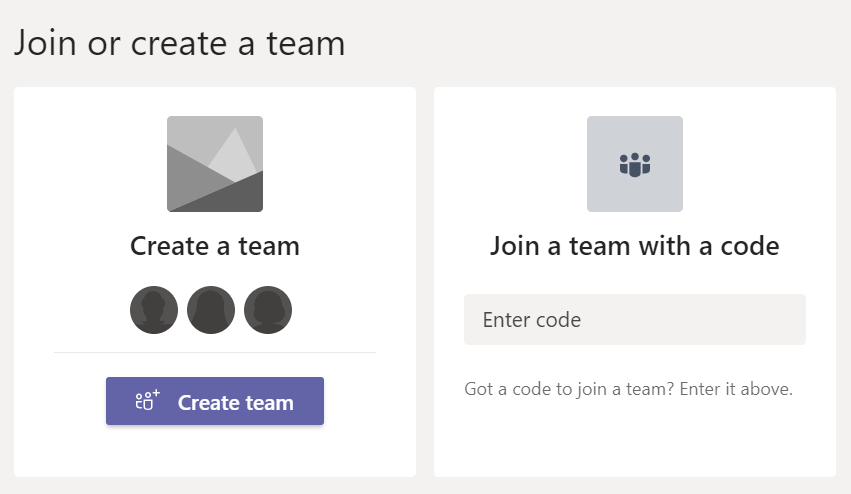
Why should IT admins control team creation in Microsoft Teams?
If you manage a Microsoft 365 tenant, you have probably seen this pattern: after a few months, there are hundreds of teams with overlapping names, unclear owners and abandoned channels. Users cannot find the right place for their work, and support tickets pile up.
Many IT admins start searching for ways to “disable team creation Microsoft 365” just to stop this growth. But completely blocking team creation often shifts the problem elsewhere: shadow IT, private tools or manual workarounds.
This is where a Microsoft Teams Governance Tool can help. Instead of simply turning team creation off, you can guide it: clear rules, standard templates, and transparent ownership for every new team.
What is a controlled version of team creation in Microsoft Teams?
Instead, to prevent users from creating teams in an unsupervised way, we recommend implementing a controlled version of teams creation with Teams Manager, offering a request and approval process for teams.
With Teams Manager, every new workspace starts with a Teams creation approval workflow. Users request a new team with a short form, approvers check the purpose and sensitivity, and the Team is then created from a standard template with the right naming, settings and lifecycle.
For IT admins this means:
- fewer unnecessary teams,
- clear ownership,
- consistent governance without manual scripts every time.
Curious to see how Teams Manager controls Team creation?

How to disable teams creation in Microsoft Teams in 3 steps
Temps nécessaire : 10 minutes
Here is a step-by-step guide on how to disable teams creation completely. Since the standard M365 UI does not provide the option to disable Teams creation, a Powershell script has to be used.
Note: The script will disable not just the creation of Teams but also the creation of groups in general, i.e. sites in SharePoint, sites/groups in Planner, groups in Outlook etc.
- Create security group
Before you execute the script, you have to create a security group in your Microsoft 365 Admin Centre. Click on ‘Groups’, add a new group and choose the type ‘Security’.
- Add member
Add one or more members to the group that should later still be able to create teams.
- Execute following script
Execute the following script to disable the creation of Teams:
(Replace <YourGroupName> with your group name)
Import-Module Microsoft.Graph.Beta.Identity.DirectoryManagement
Import-Module Microsoft.Graph.Beta.Groups


Connect-MgGraph -Scopes "Directory.ReadWrite.All", "Group.Read.All"


$GroupName = "<YourGroupName>"
$AllowGroupCreation = "False"


$settingsObjectID = (Get-MgBetaDirectorySetting | Where-object -Property Displayname -Value "Group.Unified" -EQ).id


if(!$settingsObjectID)
{
    $params = @{
	  templateId = "62375ab9-6b52-47ed-826b-58e47e0e304b"
	  values = @(
		    @{
			      name = "EnableMSStandardBlockedWords"
			      value = "true"
		    }
	 	    )
	    }

    New-MgBetaDirectorySetting -BodyParameter $params

    $settingsObjectID = (Get-MgBetaDirectorySetting | Where-object -Property Displayname -Value "Group.Unified" -EQ).Id
}


$groupId = (Get-MgBetaGroup | Where-object {$_.displayname -eq $GroupName}).Id


$params = @{
	templateId = "62375ab9-6b52-47ed-826b-58e47e0e304b"
	values = @(
		@{
			name = "EnableGroupCreation"
			value = $AllowGroupCreation
		}
		@{
			name = "GroupCreationAllowedGroupId"
			value = $groupId
		}
	)
}


Update-MgBetaDirectorySetting -DirectorySettingId $settingsObjectID -BodyParameter $params


(Get-MgBetaDirectorySetting -DirectorySettingId $settingsObjectID).Values
Note: In order to execute the script, you need the preview module for Powershell ‘AzureADPreview’. If you already have installed the AzureAD module, you need to uninstall it first.
Watch this video for a detailed step-by-step tutorial on how to deactivate teams creation in Microsoft Teams:
The creation of teams is now disabled for users. This AzureAD Security Group will be the only one that can later create teams. Note that Global Admin members can also still create Microsoft Teams.
Overview of the 3 steps
| Step | Action | Result | Notes |
| 1 | Create security group | Defines who is still allowed to create groups and teams | Use a clear name, e.g. “TeamCreationAdmins” |
| 2 | Add members | Grants selected admins permission to create new groups and teams | Add only admins or power users |
| 3 | Execute the PowerShell script | Disables group and team creation for all users outside this group | Requires sufficient directory permissions |
Example: how Parking Zürich stopped uncontrolled team growth
Parking Zürich used Teams Manager to stop uncontrolled growth in Microsoft Teams. Felix Peider, Head of IT at Parking Zürich AG, says:
“Through Teams Manager, we implement structured guidelines and approval processes for the creation of teams.“
Read more about how Parking Zürich prevents uncontrolled teams creation with Teams Manager!
In this project, simply running the script to disable teams creation would not have been enough. They needed an approval process, templates, naming conventions and lifecycle rules. All of that was implemented with Teams Manager as a central Microsoft Teams governance tool on top of the technical configuration.

FAQ: disabling Team creation in Microsoft Teams
Can I disable only Microsoft Teams creation without affecting other groups?
At the moment, this script disables the creation of Microsoft 365 groups in general. That also affects connected resources such as SharePoint sites and Outlook groups. If you need more granular control focused on Microsoft Teams only, a governance solution with a Teams creation approval workflow like Teams Manager is the better approach.
How can I undo the change if something goes wrong?
You can reverse the setting by running an adjusted version of the script. Set AllowGroupCreation back to True and delete the following lines from the script, thus removing the reference to the security group:$Setting[“GroupCreationAllowedGroupId”] = (Get-AzureADGroup -SearchString “Name of your security group”).objectid
Which permissions are required to run the script?
You need sufficient directory permissions (for example Azure AD Directory Administrator rights) in the tenant, as the script updates directory settings related to group creation.
How long does it take until the change is active?
In many tenants the change is applied shortly after the script runs. In some cases Microsoft states that it can take up to 48 hours until the setting is effective everywhere.
Now you know how to disable teams creation. Teams Manager offers easy controls not just for team creation, but also for most admin problems in MS Teams.
If you want to see a request-based process in action, book a Teams Manager Demo!
Walk through the full workflow for controlled team creation, templates and lifecycle policies together with one of our experts.

Chief Commercial Officer and Governance Specialist at Solutions2Share
Florian Pflanz has more than 8 years of experience with Microsoft 365 and has supported over 250 workshops on Teams governance.
His focus lies on lifecycle management, provisioning, and compliance requirements in regulated industries.
He shares best practices with IT admins and decision-makers to reduce complexity and strengthen secure collaboration in Teams.