
Microsoft 365 provisioning is easy to start, but hard to standardize.
If users create teams, groups, and SharePoint sites “as needed”, most tenants quickly run into the same issues: duplicate workspaces, inconsistent names, unclear ownership, and growing admin effort for cleanup, compliance checks, and support. Provisioning is the process that prevents this by defining how workspaces are created, which structure they get, and which rules must be met. Ideally, all of this happens automatically.
To understand Microsoft 365 provisioning using Graph API and PnP (Patterns and Practices), it’s essential to grasp the basics of each method, their differences, advantages, and potential use cases. In this blog post, we’ll take a detailed look at the different approaches, and how third-party tools like Teams Manager compare.
Microsoft Graph API is the gateway to data and intelligence in Microsoft cloud services like Microsoft Entra and Microsoft 365. It provides a unified programmability model that allows access to a vast range of services, tools, and information across M365 services, including identity in Azure AD, Exchange Online, SharePoint Online, Teams, and more. Graph API enables developers to build applications that interact with the data of millions of users.
PnP (Patterns and Practices), specifically PnP PowerShell and PnP Core SDK, are tools and libraries that simplify complex operations in SharePoint and Microsoft 365. They are built on top of Microsoft Graph API and other APIs, providing a more developer-friendly approach to common tasks and customizations in SharePoint and M365.

What problems does Microsoft 365 provisioning solve for IT admins?
Provisioning is not just “creating a Team”: For IT admins and IT decision makers, it’s about standardization and control.
Typical problems you can solve with a proper Microsoft 365 provisioning setup:
- Teams sprawl: too many workspaces, duplicate teams, unclear purpose
- Inconsistent structures: different channels, apps, tabs, folders, metadata
- No accountability: missing owners, abandoned teams and sites taking up storage and confusing users
- Security gaps: wrong privacy settings, wrong guest settings, oversharing
- Compliance issues: harder auditing because rules are not enforced
- Manual workload: tickets and one-off requests instead of repeatable processes
Suggested solutions include:
- a Microsoft 365 provisioning tool to standardize workspaces and automate M365 provisioning
- providing no-code provisioning instead of custom scripts maintenance
What are the Differences of Graph API and PnP?
Scope and Functionality
Graph API offers broader access to services across Microsoft 365, while PnP focuses mainly on SharePoint and Microsoft 365 customizations.
Complexity
Graph API requires a good understanding of the underlying services and Microsoft 365 security models, whereas PnP abstracts many complexities, making it easier to perform specific tasks.
Customization vs. Administration
PnP is heavily used for SharePoint customizations and site provisioning. The M365 Graph API is more versatile, allowing for both administrative tasks across Microsoft 365 and detailed actions like user management, mail, calendars, and more.
What are the Advantages of Graph API vs PnP?
M365 Graph API Advantages:
Unified Interface
Microsoft Graph API provides a single RESTful API endpoint to access a wide range of Microsoft Cloud services across Office 365, Windows 10, and the Enterprise Mobility Suite (including Entra ID / Azure AD).
Cross-Platform Access
It allows for cross-platform integration, which makes it viable for use with various platforms and devices.
Real-Time Data
Microsoft Graph can access real-time data across the Microsoft 365 services, enabling dynamic and live interaction with users’ data.
Rich Context and Insights
It offers additional data and relationships between different services, such as users, groups, files, messages, and tasks, which enables developers to build more intelligent and context-aware applications.
Integrating Advanced Services
Microsoft Graph provides integration with Microsoft’s AI services, including Microsoft Cognitive Services for developing more intelligent, cloud-powered applications. It supports building applications that combine Microsoft 365 data with intelligence and integrations across the Microsoft cloud (for example via connectors and related services)
Access Control & Security
It uses Microsoft Entra ID (formerly Azure Active Directory) for authentication, ensuring secure access with fine-grained control over permissions and scopes.
Webhooks & Subscriptions
It supports webhooks, allowing applications to receive notifications on specific events across the data spectrum in the Microsoft cloud, such as new emails or calendar events.
PnP Advantages:
Simplification
Makes complex tasks simpler, especially for SharePoint and M365 customizations.
Community Support
Benefits from strong community support, with many templates and examples available. (Note: PnP is community-supported and not covered by a Microsoft SLA.)
Efficiency
PnP commands and libraries are designed to perform tasks with fewer lines of code and less complexity.
Tired of complicated provisioning? Book a free demo!
What Are The Most Common Use Cases of M365 Graph API and PnP for M365 Provisioning?
Graph API Use Cases
1. User Provisioning and Identity Management
One of the most common use cases for Microsoft Graph API is the management of users and identities within an organization’s directory. The M365 API helps developers automate complex tasks such as:
Creating and managing users
Simplify the onboarding process by automatically creating new user accounts, setting up profiles, and configuring settings in Microsoft Entra ID.
Assigning licenses
Automate the allocation and management of Office 365 licenses across the organization.
Group management
Create, read, update, or delete groups, and manage group memberships to facilitate collaboration and control access to resources.

2. Advanced Workload Automation
Microsoft Graph API is a key option for automating everyday workloads:
- Email automation: Send, receive, and manage emails without user interaction, directly through the API.
- Calendar management: Automate scheduling, send meeting requests, and manage event details.
3. Accessing Device and Activity Data
With Microsoft Graph, you can also access data from devices managed by Microsoft Intune and activity logs from Entra ID / identity services:
- Device configuration: Manage and report on device configurations and security settings across the enterprise.
- Monitoring sign-ins: Track user sign-in activities to identify suspicious behavior and enforce security policies.

4. Data Insights and Intelligence
Graph API can tap into the Microsoft Data Graph usage and activity data to extract insights and intelligence:
- Analyzing usage patterns: Understand how employees use Microsoft services.
- Personalized insights: Generate insights such as trending documents.
5. File and Resource Management
The M365 API plays an important role in file management within the Microsoft 365 ecosystem, especially with OneDrive and SharePoint:
- Automating file operations: Perform file uploads, downloads, moves, and copies programmatically.
- Collaboration: Enable real-time collaboration on documents stored in OneDrive or SharePoint.
6. Application Integration and Extensibility
The capabilities of Microsoft Graph API are not limited to native Microsoft applications; they extend to third-party applications as well:
- Seamless integration: Enable third-party apps to access and manipulate Microsoft service data.
- Extend Microsoft 365 features: Enhance M365 capabilities by building custom app integrations, bots, or workflows.
PnP Use Cases
- SharePoint Customization: Provisioning SharePoint sites, lists, libraries, and configuring settings without manually using the SharePoint UI.
- Migration: Assisting with content migration and site restructuring within SharePoint and Microsoft 365.
In summary, Graph API and PnP both fulfill different requirements. For broader access and management of Microsoft 365 services, Graph API is more suitable. For SharePoint-focused tasks and simplifying complex operations, PnP is the better choice.
Both tools are valuable for developers working in the M365 ecosystem and can also be used in conjunction.
What are the Requirements of Graph API and PnP?
To get started with either Microsoft Graph API or PnP with provisioning and managing resources in M365, you’ll need to fulfill certain prerequisites. These requirements vary, depending on which tool you’re planning to use.
Microsoft Graph API Requirements
- Microsoft 365 Subscription: Access to a M365 subscription goes without saying, since Graph API interacts with data across Microsoft 365 services.
- Microsoft Entra Application Registration: You need to register an application in Entra to obtain an app ID and secret (or certificate). This registration allows your application to authenticate and gain access to Microsoft 365 data via Graph API.
- Permissions and Consent: During the Entra ID application setup, you must define the permissions your application requires. These permissions dictate what data and actions your application can perform on behalf of a user or service. After setting permissions, an administrator must grant consent for these permissions in Entra ID.
- Development Environment: A suitable development environment with your preferred programming language and tools that can make HTTP requests to Graph API.
- Microsoft Graph SDKs (optional): While not a requirement, using an SDK can simplify development by providing native methods for interacting with Graph API.
PnP Requirements
- M365 Subscription: As with Graph API, a subscription is the foundation as PnP operates within the Microsoft 365 ecosystem, particularly SharePoint and Microsoft 365 customizations.
- SharePoint Online Administrator Role (recommended): For many PnP operations, especially site provisioning and high-level configurations, SharePoint Online administrator permissions are recommended to ensure access to the required resources.
- PnP PowerShell or PnP Core SDK Installation: Depending on your preference or the task at hand, you’ll need to install PnP PowerShell modules or the PnP Core SDK. PnP PowerShell is suitable for script-based automation and interactive use, whereas the PnP Core SDK is used within .NET projects.
- Appropriate Permissions: If you are using the PnP Core SDK, similar to Graph API, you might need to register an application in Entra ID and configure permissions for accessing different resources within Microsoft 365.
Both tools require a deep understanding of M365 and security / identity concepts in Entra ID, as well as familiarity with the specific Microsoft services you plan to manage or customize.

What are the Limitations of Provisioning with Graph API for SharePoint?
Microsoft Graph API stands as a powerful gateway to interact with data across the Microsoft 365 platform. However, within the context of SharePoint, Graph API is not without its limitations, especially when dealing with complex SharePoint-centric operations. Let’s take a look at specific scenarios where Graph API’s limitations within SharePoint are apparent.
1. Custom List Actions
Microsoft Graph API offers basic CRUD operations (Create, Read, Update, and Delete) on SharePoint lists. However, when it comes to more detailed control over custom actions, like triggering workflows or manipulating list settings that deviate from the standard list templates, the API falls short.
Teams Manager addresses the limitations of Microsoft Graph API for custom list actions by providing a user-friendly interface where users can set up and execute complex internal approval workflows without the need for additional coding. Unlike Graph API, Teams Manager streamlines the process of initializing, monitoring, and controlling these custom workflows within SharePoint lists.
2. Deep Site Customizations
SharePoint Online offers extensive capabilities for site customizations, ranging from branding elements to complex web parts. Microsoft Graph API does not expose all the endpoints necessary to handle deep customizations or retrieve all the properties related to SharePoint sites.
As an example: When an organization wants to apply a consistent branding across SharePoint sites, Teams Manager can facilitate this process. It offers tools to apply these changes, bypassing the Graph API restrictions and allowing for advanced customizations. Teams Manager can, for example, set up tailored master pages or add unique web parts.
3. Granular Permission Management
Microsoft Graph API is limited in its ability to manage the intricate permission levels within SharePoint. It does not offer comprehensive access to all the permission controls that SharePoint’s native capabilities provide.
For intricate permission adjustments within SharePoint, Teams Manager offers a solution that goes beyond what Graph API can manage. It provides the ability to fine-tune permissions at an item level, set unique permissions for specific documents or folders, and handle item-level permissions tied to metadata, ensuring a more detailed and secure approach to permission management.
4. Advanced Search Capabilities
While Microsoft Graph API includes basic search functionality, it’s not as mature or feature-rich as SharePoint’s native search capabilities. Advanced search queries and custom search configurations are not fully supported through Graph API.
An organization requiring a custom search interface that can execute complex queries with refinements and specific property selection against their SharePoint content may see this as problematic. Although basic search can be performed via Microsoft Graph, this advanced level of detail and customization in search queries necessitates the use of SharePoint Search REST API to fulfill the requirement.
5. Advanced Taxonomy Operations
Microsoft Graph API provides limited support for operations related to managed metadata and taxonomy services in SharePoint. This service is highly important for organizations relying on structured content management.
Teams Manager complements the Graph API by providing comprehensive management of SharePoint’s managed metadata and taxonomy services. This allows users to classify and tag content accurately, using intuitive tools that interact seamlessly with SharePoint’s Term Store, sidestepping the limited taxonomy support from Graph API.
6. Comprehensive Site Provisioning
SharePoint provisioning via Microsoft Graph API is possible but lacks the depth and flexibility offered by SharePoint’s PnP Provisioning Engine, the SharePoint CSOM or the Teams Manager app for M365.
This may become relevant if your organization wants to script the creation of complex SharePoint sites, including lists, libraries, content types, and custom configurations, in an automated provisioning process. While basic site creation is achievable through Graph API, complete provisioning capabilities require the advanced templates and scripting available through the PnP Provisioning Engine.
Another alternative that does not necessitate coding is to provision workspaces (whether complex SharePoint sites or Microsoft Teams) with Teams Manager.
When should you use a Microsoft 365 provisioning tool instead of scripts?
For IT admins, the real decision often is between “build” vs. “buy”.
Choose scripts (Graph API / PnP) when:
- you have development capacity to build and maintain automation
- your process is stable and changes rarely
- you can operate safely with app permissions and reviews
- you accept ongoing maintenance and documentation effort
Choose a Microsoft 365 provisioning tool when:
- you need consistent standards across teams/sites/groups
- you need approvals, ownership rules, and governance policies
- you want self service, but with guardrails, for end users
- you need reporting and audit-friendly provisioning
- you want to avoid long-term script maintenance
This is exactly where Solutions2Share Teams Manager fits: no-code provisioning + governance.
Take the first step towards simplifying your M365 provisioning process by booking a demo of Teams Manager today!
Experience firsthand how our no-code solution can transform the way you manage teams, groups, and SharePoint sites.
Book your Teams Manager demo now – see the difference it can make in your daily work! Book a free demo!
An easier way for M365 Provisioning
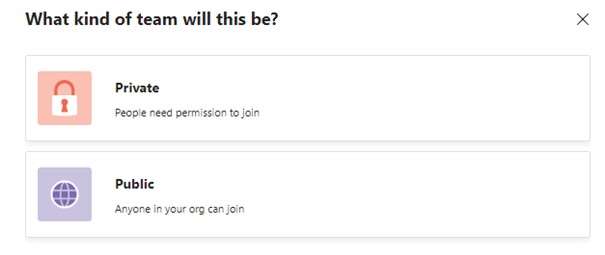
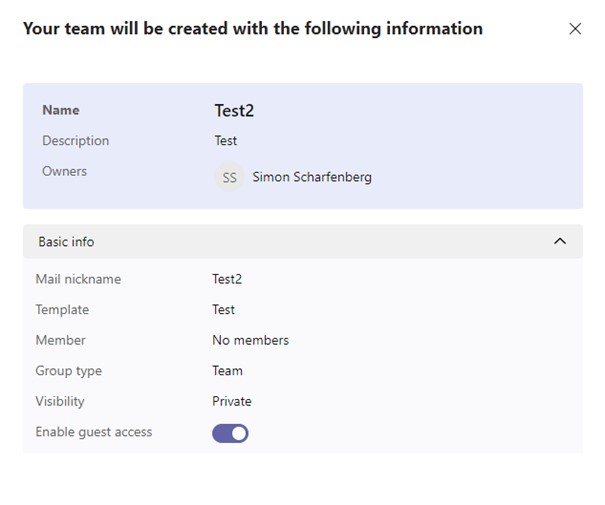
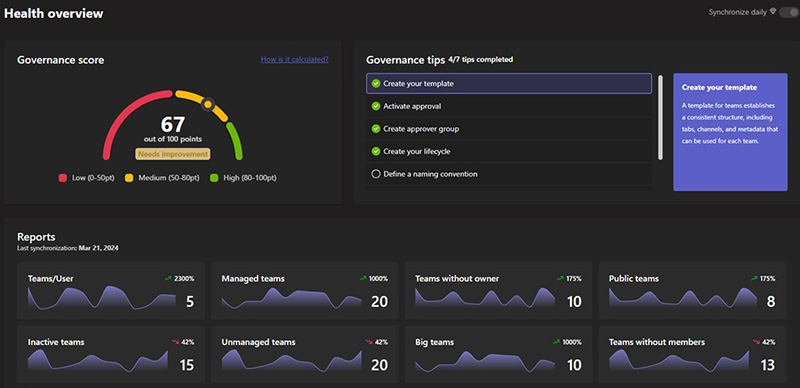
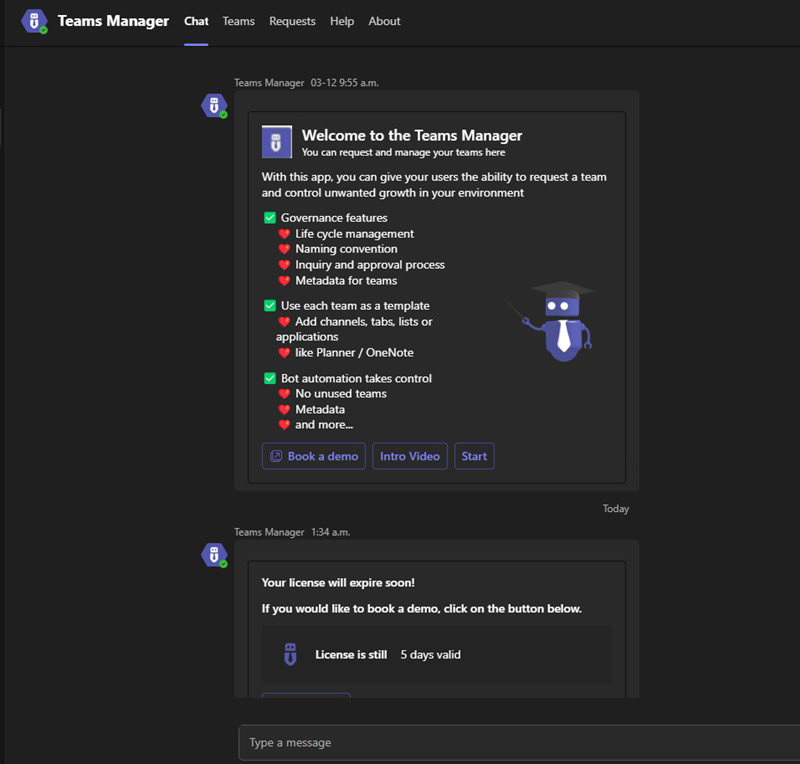
Teams Manager offers a more user-friendly approach to Microsoft 365 and Microsoft Teams provisioning that also connects well with Microsoft Teams governance policies. The app simplifies the process of setting up new teams, Microsoft 365 groups, SharePoint sites, and more, without the need for coding. By leveraging customizable templates, Teams Manager allows users to quickly deploy new resources while providing admins with easy control through approval workflows.
Many governance options allow IT admins to also create a provisioning policy for their organization.