The End of SharePoint OTP: Why Guest Accounts Are Becoming the Biggest Microsoft 365 Governance Challenge
What is changing in every Microsoft 365 tenant right now – and why admins need to act
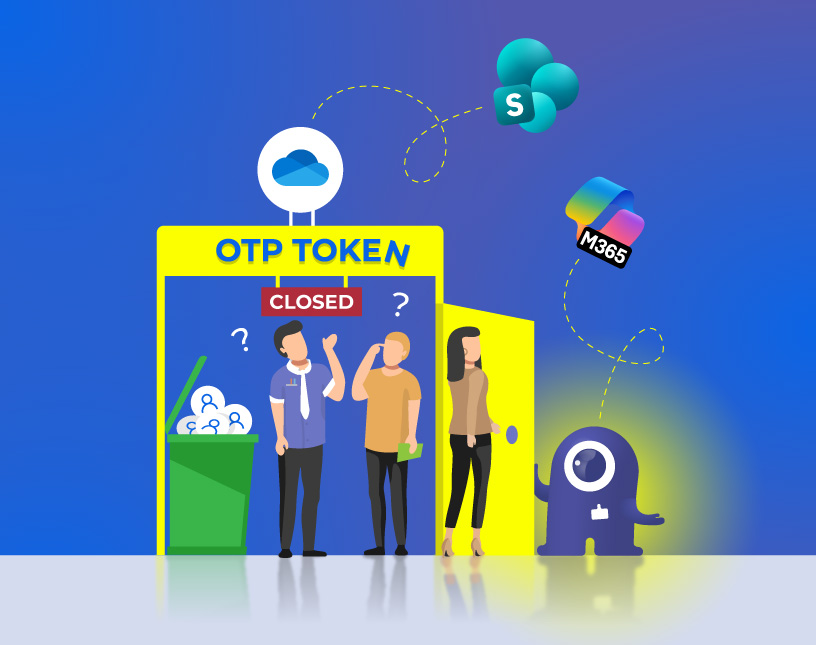
Starting in May 2026, Microsoft is rolling out one of the most far-reaching changes to the external sharing model of SharePoint Online and OneDrive for Business in years: the SharePoint One-Time Passcode (SPO OTP) authentication is being retired. Anyone who shares files externally will now automatically invite a guest account into the Entra tenant – whether they intend to or not.
What Microsoft markets as a security improvement brings a massive new governance challenge for IT administrators: uncontrolled guest account proliferation, missing lifecycle control, and a growing security risk from “shadow guests”.
What is SPO OTP – and why is it being retired?
Until now, users in SharePoint and OneDrive could share files with external people by sending them a one-time code via email – the so-called One-Time Passcode. The recipient didn’t need a Microsoft account or a guest entry in the tenant. Simple, fast, anonymous.
This model was convenient – but a blind spot from a security perspective. No identity, no auditability, no Conditional Access, no lifecycle.
Microsoft has reacted: According to Message Center Notification MC1243549 from March 2026, SPO OTP will be gradually replaced by Microsoft Entra B2B Collaboration starting in May 2026. Full removal is planned for August 2026. From July 2026, existing OTP-based links will simply stop working.
What this means in practice: A guest account for every piece of shared content
Here is where the real problem begins:
As soon as an internal user shares a file or folder with an external email address, the Entra B2B Invitation Manager automatically creates a guest account in the tenant – even if the recipient only needs short-term access to a single document.
What used to be an anonymous, short-lived OTP link is now a permanent identity entry in Azure Active Directory (Entra ID). And: the guest is not added to a group, not assigned to a team, not embedded in any defined process. They simply float in the tenant – visible to existing guests, potentially reachable by other users, without an admin ever being aware.
The scale of the problem: Guest proliferation in numbers
The numbers tell a clear story. According to a widely cited assessment from the Microsoft ecosystem, many tenants have 2 to 4 times more guests than internal employees. This was already the case before the OTP retirement – and will become drastically worse with the change in May 2026.
Until now, an external user had to be actively invited as a guest. Now, sharing a single Excel file by a regular employee is enough – without any approval, process, or admin control.
In a mid-sized company with 500 employees regularly sharing files externally, hundreds to thousands of new guest accounts can emerge within just a few months – each one a potential security risk if not actively managed.
The risks of uncontrolled guest accounts
1. Security risk: Guests see more than expected
Depending on the tenant configuration – in particular the SharePoint sharing settings – existing guests can be re-invited by other internal users to additional content, simply because they already exist as an identity in the tenant. A guest who originally had access to only one file can gradually gain access to more and more sensitive content.
2. Compliance risk: Who has access to what?
GDPR, ISO 27001, NIS2 – every relevant compliance framework requires control over who has access to which company data. Guests automatically created through employee sharing behavior never appear in a controlled onboarding process. This turns access reviews and audits into a nightmare.
3. Governance risk: Guests without an expiration date
Without active management, guest accounts remain active – even when the original purpose (e.g. a project) is long completed. Former suppliers, freelancers, consultants: they all leave digital traces in the tenant. Without a lifecycle process, inactive accounts pile up and create a silent attack surface.
4. Shadow Guest problem: The backdoor into the tenant
The most serious problem: these guests enter through the back door – not through a structured admin process, but through the regular sharing workflow of regular employees. IT admins often find out weeks or months later. The concept of “Shadow IT” gains a new, unsettling dimension with “Shadow Guests”.
What admins need to do now – and why native tools fall short
Microsoft does offer some native tools: Entra access reviews, expiration policies for guest group access, PowerShell scripts for reports. But the reality for most admins looks different:
- Access Reviews in Entra ID Governance for guests have required a paid add-on license (Entra ID Governance for Guests Add-on) since January 2026
- Manual PowerShell reports don’t scale in dynamic environments
- Guests without group membership (which is exactly the type of guest created by sharing) are particularly hard to track and manage
- The Entra B2B Invitation Manager creates accounts – but doesn’t provide lifecycle management
The result: admins face a growing mountain of unmanaged external identities – without a practical tool to control them.
The solution: External User Manager – controlled guest process from invitation to offboarding
This is exactly where the External User Manager comes in. The solution addresses all three core problems created by the OTP retirement:
✅ 1. Controlled guest invitation instead of uncontrolled growth
Instead of unchecked guest account creation through normal sharing, External User Manager enables a structured invitation process: guests are invited with defined access rights, clear purposes, and a lifecycle framework from the start. The process can be tied to workflows – for example, approval by a team owner or admin.
✅ 2. Lifecycle management with configurable expiration periods
Every guest account is given a defined lifecycle: invitation, activation, renewal option, expiration. Admins can set rules so that guests are automatically deactivated or prompted to renew after 90, 180, or 365 days. No guest remains without an end date.
✅ 3. Timer job: Sweeping up “Shadow Guests” from the sharing process
The key feature for the new OTP-free world: a regularly running timer job scans the tenant for guest accounts that were not created through the defined process – exactly those guests that emerged automatically through SharePoint/OneDrive sharing. These “unplanned guests” are captured, classified, and can be:
- Assigned to a responsible owner
- Transferred into the lifecycle process
- Or automatically deactivated/deleted if no need is identified
This “sweep” procedure runs at configurable intervals and ensures that no guest remains permanently in the tenant without someone taking responsibility for them.
Keyword overview: What this is all about
For anyone who wants to dive deeper into the topic, these are the central terms:
| Term | Meaning |
|---|---|
| SPO OTP | SharePoint One-Time Passcode – the retired method |
| Entra B2B Collaboration | The new standard method for guest access in M365 |
| B2B Invitation Manager | Microsoft component that automatically creates guests |
| Guest Lifecycle Management | Process to manage guest accounts from invitation to offboarding |
| Shadow Guests | Unplanned guests created by sharing actions of regular users |
| Guest proliferation | Uncontrolled growth of guest accounts in the tenant |
| Access Review | Regular check of who has access to what |
| Conditional Access | Policies that enforce specific access conditions |
| Guest Governance | All measures for controlled management of external identities |
| External User Manager | Solution for controlled invitation and management of guests |
Conclusion: The OTP retirement is not a minor technical change
Phasing out the SharePoint OTP is not an upgrade you can quietly roll out. It is a fundamental shift in the external sharing model of Microsoft 365 – with direct impact on security, compliance, and the daily life of every administrator.
Admins who don’t act today will wonder in six months why their tenant suddenly contains thousands of unknown guest accounts.
The good news: with the right tool, this process can not only be controlled but turned into real value: secure, traceable external collaboration – with clear responsibilities and no uncontrolled growth.
Want to know how many unplanned guest accounts already exist in your tenant?
External User Manager shows you – and helps you regain control.

Sources: Microsoft Message Center MC1243549, Microsoft Learn (SharePoint Entra B2B Integration FAQ), Office365itpros.com, AdminDroid Blog, Petri.com

Chief Commercial Officer and Governance Specialist at Solutions2Share
Florian Pflanz has more than 8 years of experience with Microsoft 365 and has supported over 250 workshops on Teams governance.
His focus lies on lifecycle management, provisioning, and compliance requirements in regulated industries.
He shares best practices with IT admins and decision-makers to reduce complexity and strengthen secure collaboration in Teams.