Why is guest onboarding in Microsoft Teams important?
Inviting guests is easy — but onboarding them properly is critical. Without structure:
- Guests don’t know what rules apply.
- Admins lack a consistent approval and compliance process.
- Sensitive data is shared without confirmation of terms or NDAs.
Result: security risks, compliance gaps, and frustrated users.
What makes a seamless guest onboarding process?
📋 Checklist: Best practices for guest onboarding
- Collect mandatory metadata (department, sponsor, project).
- Customize invitation emails with branding and clear instructions.
- Provide policies, NDAs, or compliance docs for approval.
- Guide guests through their first steps in Teams.
- Allow re-triggering onboarding for existing guests.
How does the onboarding process work with External User Manager?
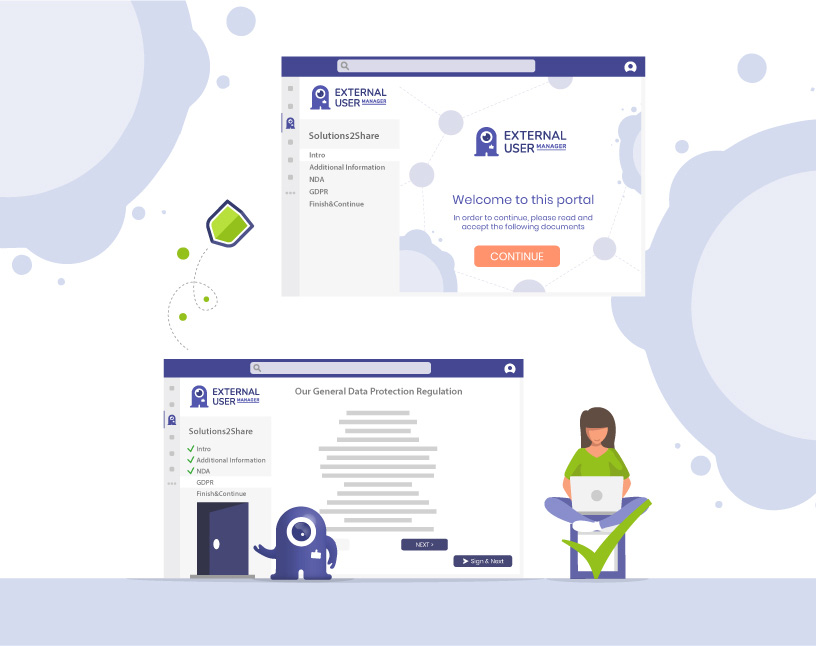
The External User Manager extends Microsoft Teams with a structured onboarding portal. Here’s how set up the onboarding portal for externals in Microsoft Teams:
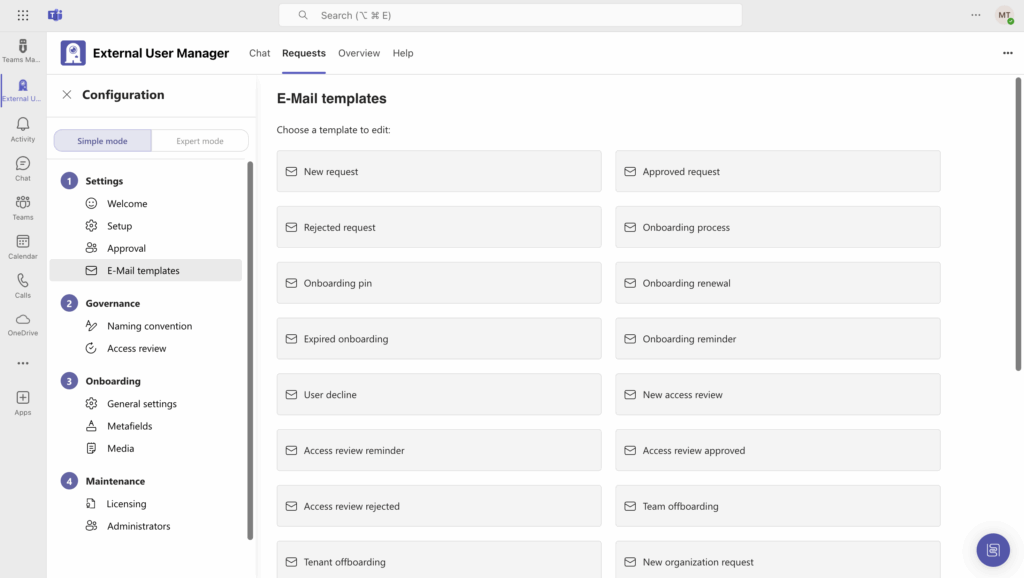
Step 1: Customize invitation emails
Navigate to the External User Manager settings and click E-Mail templates to choose from various templates, including invitation emails for guests, and customize them as needed.
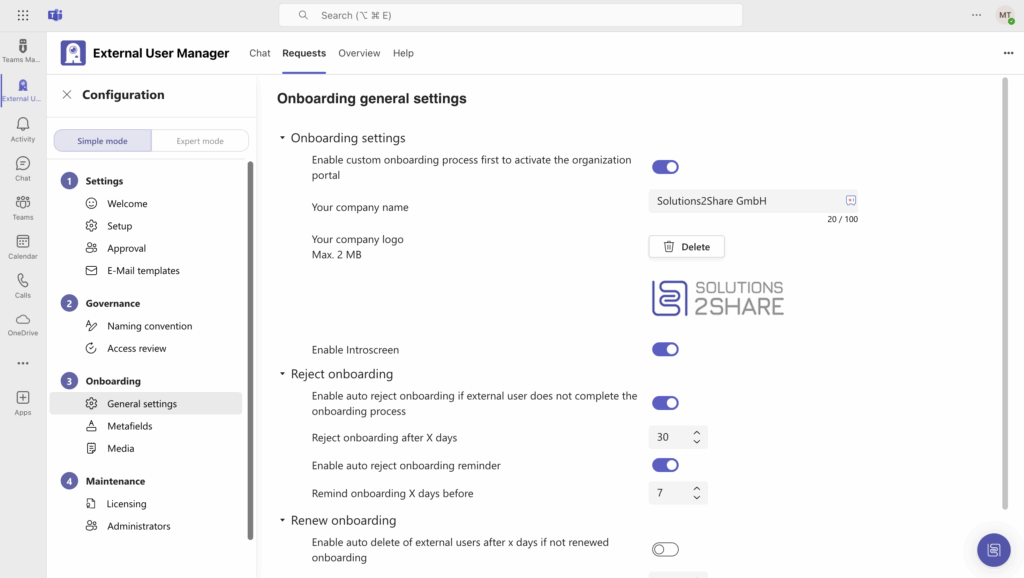
Step 2: Add your company branding
Move to the onboarding settings and upload your company logo. This creates a professional, branded experience for guests.
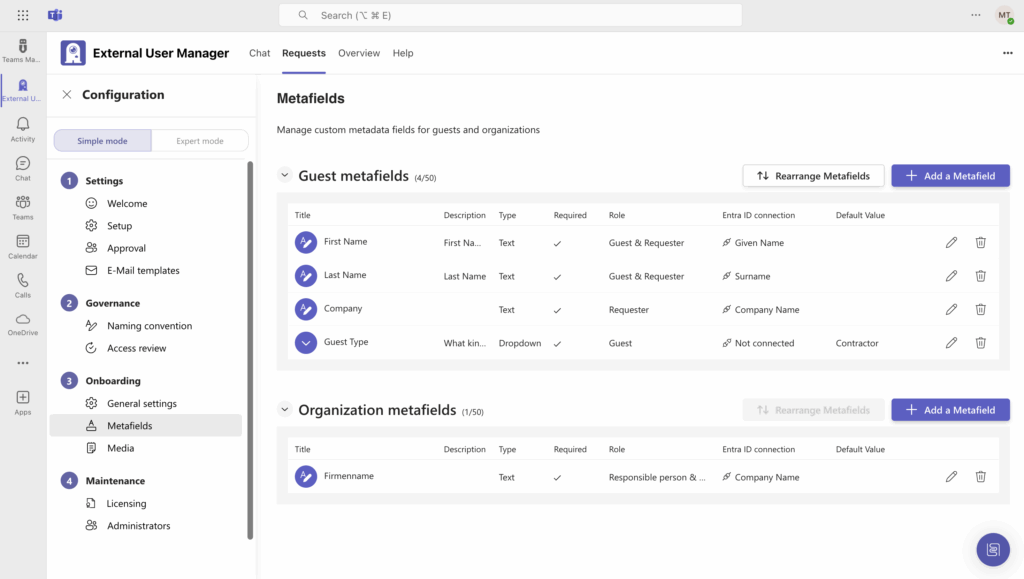
Step 3: Create metadata fields
Define which information you want to collect during onboarding, such as department, project name, or sponsor.
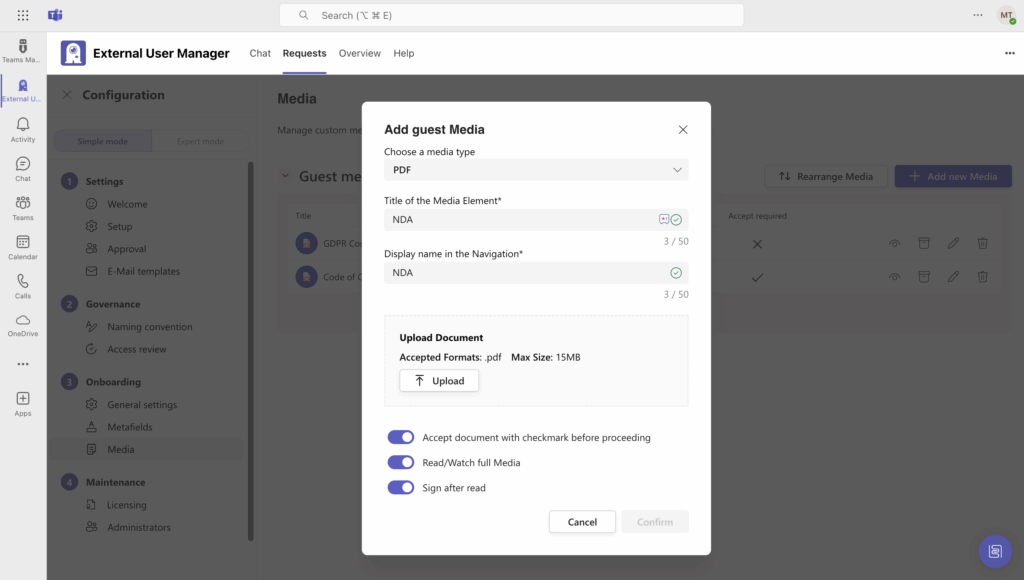
Step 4: Upload policies and documents
Upload the documents guests need to read and/or sign — for example, guidelines, terms & conditions, or NDAs. You can also provide training materials if required.
From the guest’s perspective, the onboarding flow is simple: they see your branding, provide the requested information, confirm policies, and can immediately start collaborating.
Conclusion: From invitation to compliance
Onboarding bridges the gap between invitation and secure collaboration.
With the External User Manager, companies can standardize guest onboarding, enforce compliance, and create a positive guest experience.
👉 Ready to see how guest onboarding works in practice? Book your free External User Manager demo today.