Teams Governance
Teams Manager
Govern & manage Teams lifecycle
External User Manager
Control external guest access
Project Management
Projects in Teams
Plan & track projects in Teams
Microsoft SharePoint
SharePoint Site Templates
Standardize SharePoint provisioning
Templater (On-Premises)
On-premises template engine
Blocker for SharePoint
Control SharePoint creation
View all products →
Browse all four Microsoft 365 governance products
Teams Governance
Stop Teams sprawl & enforce policies
External User Management
Control external guest access
M365 Compliance
Ensure Microsoft 365 compliance
Project Management
Structure projects in Teams
SharePoint Provisioning
Standardize SharePoint sites
View all solutions →
Browse all five Microsoft 365 governance solutions

Automate provisioning, enforce your governance policies, and manage every team's full lifecycle. No PowerShell, no chaos.


Built for IT teams managing Microsoft Teams at scale


Hundreds of abandoned teams, each with no owner, no policy, no expiration date. Every ungoverned team widens your attack surface and quietly drains license budget.
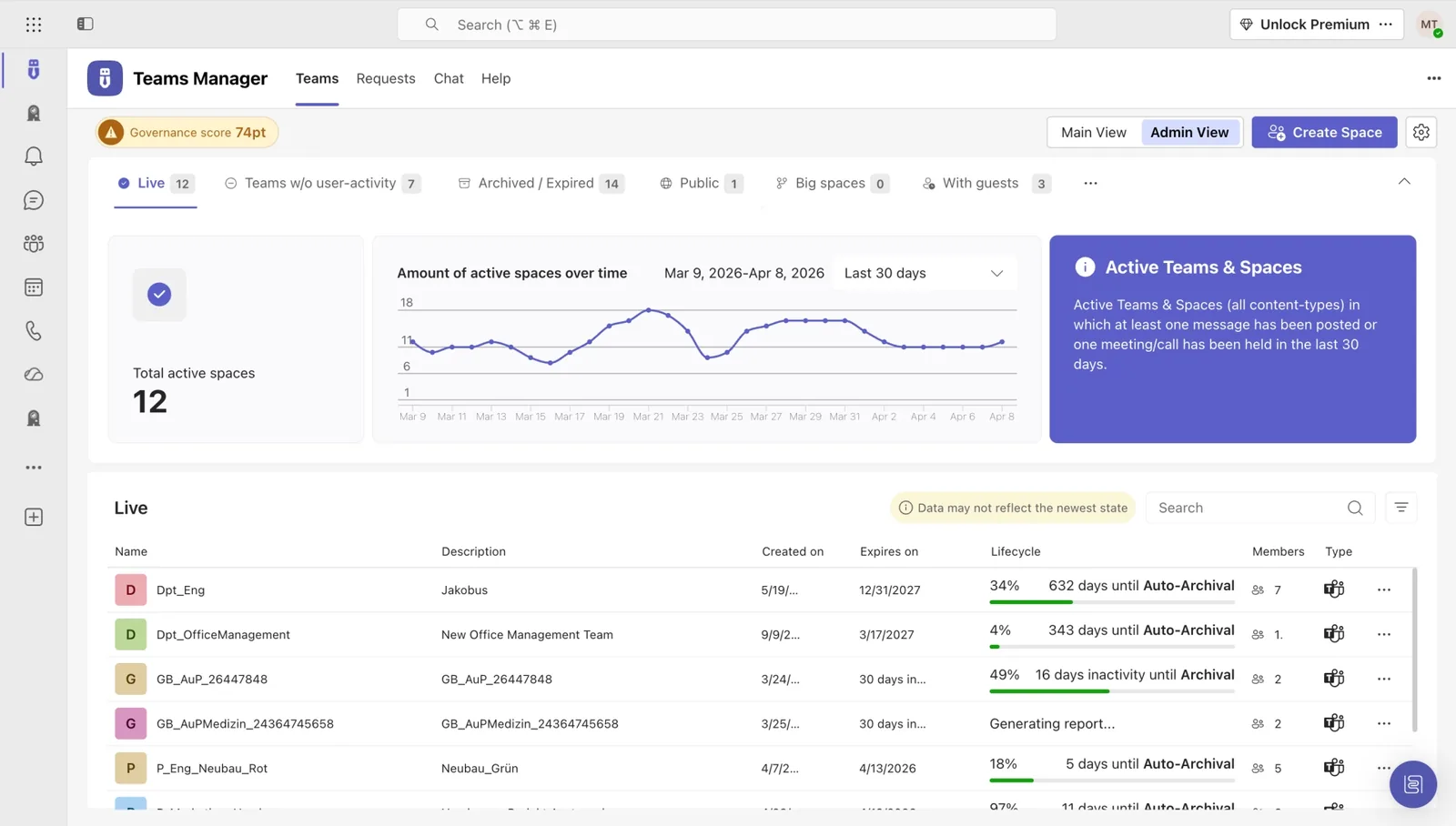
Define expiration rules, auto-archive inactive teams, and reclaim licenses, all without a single line of PowerShell. Teams Manager tracks activity and enforces your policies around the clock.
See all features →

IT admins lose dozens of hours a week to routine team-creation requests. The backlog grows, frustration builds, and the strategic work never gets done.
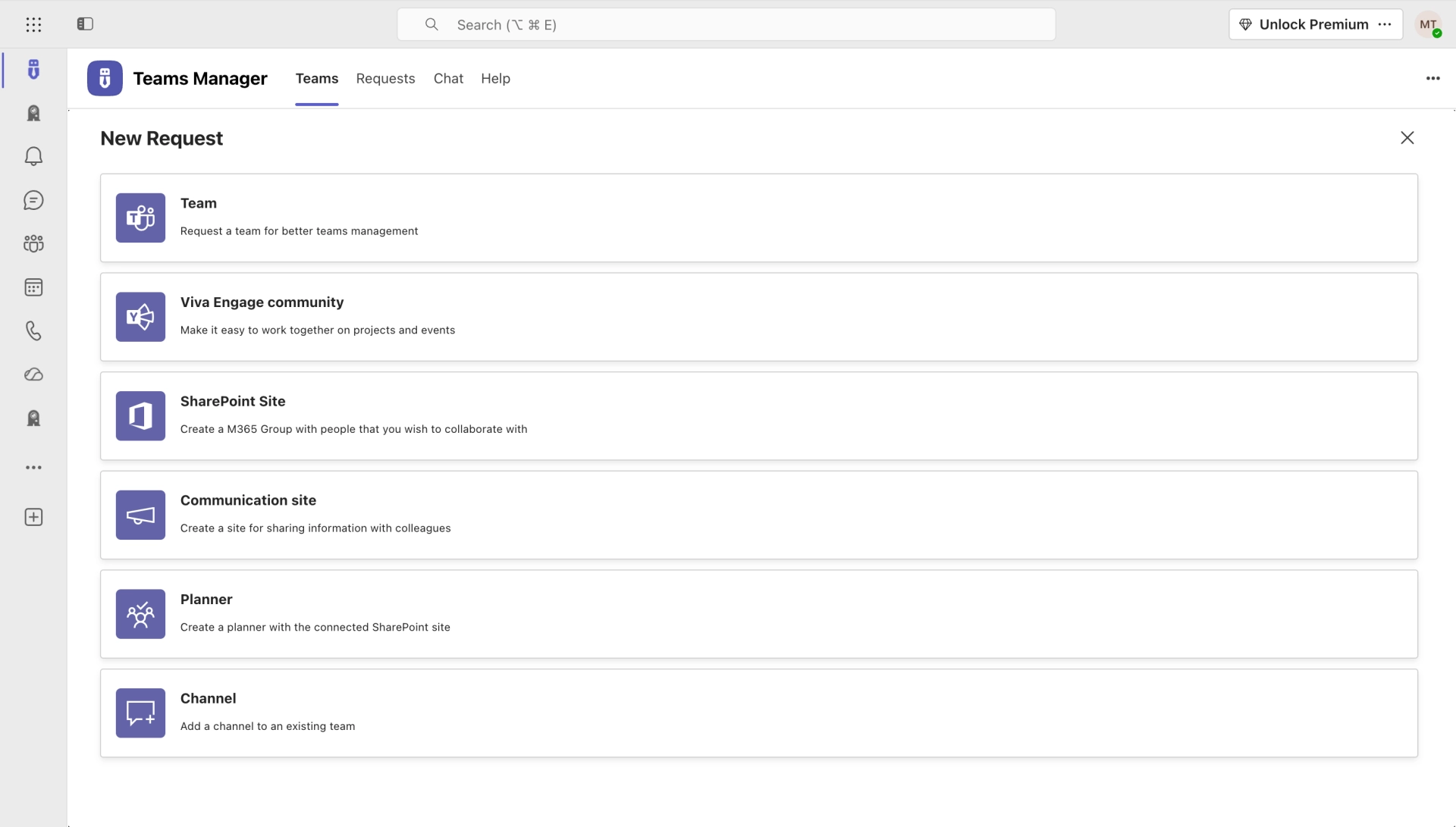
Users request teams through a guided form. You set the rules: naming conventions, templates, metadata, approval chains. Teams get created in minutes, not days.
How it works →Everyone creates teams their own way: duplicate names, missing metadata, no classification. What feels convenient on day one becomes an ungovernable mess by month three.
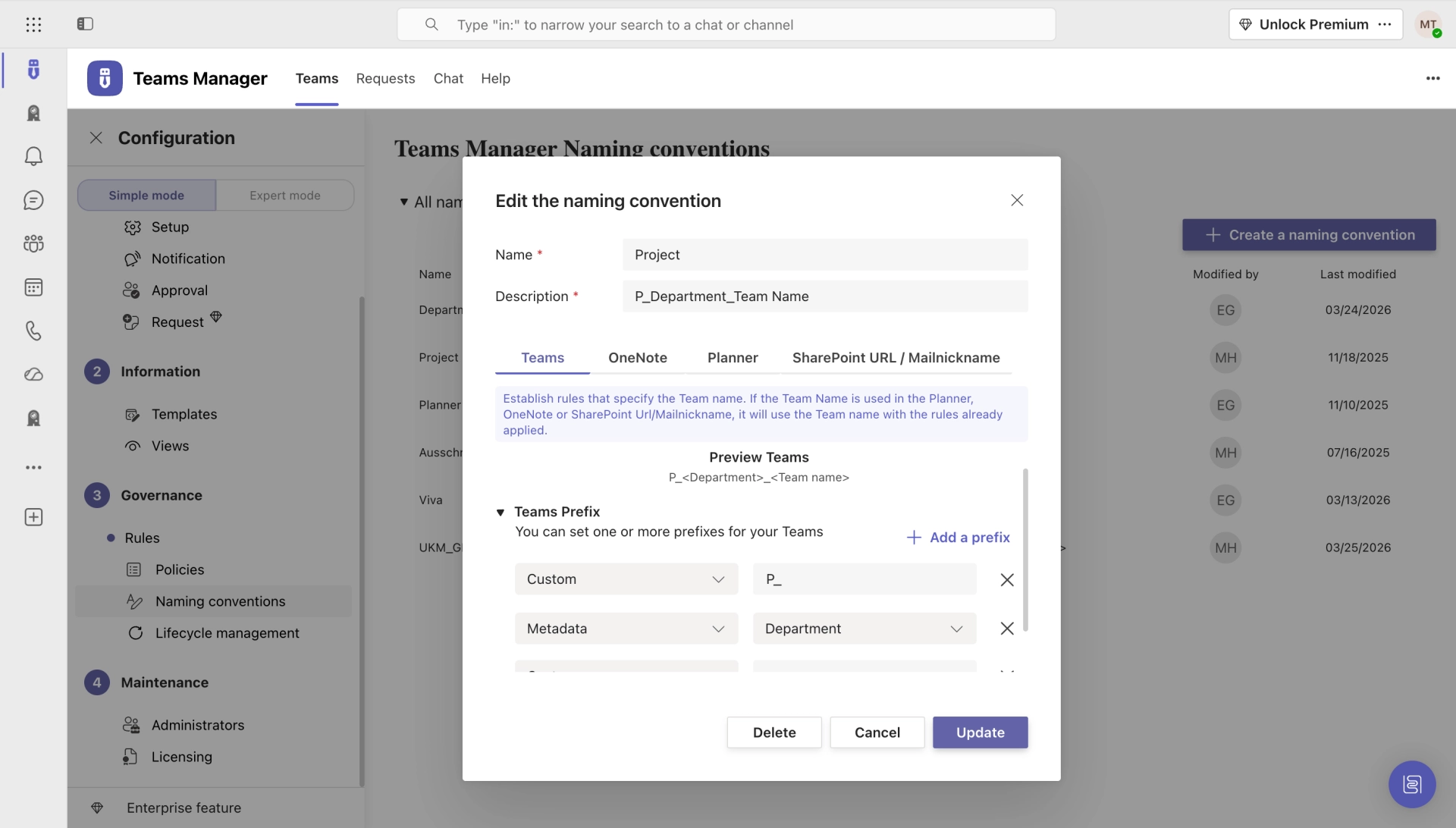
Enforce naming rules, require metadata, and route requests through approval chains. Every team meets your standards from the moment it's created.
Explore governance features →

Microsoft Copilot reaches everything your users can see: outdated teams, over-permissioned channels, and sensitive files nobody ever cleaned up.
Audit permissions, flag sensitive teams, archive stale content, and enforce least-privilege access. Teams Manager gets you Copilot-ready before the rollout, not after the incident.
More on Copilot readiness →From provisioning to retirement, Teams Manager covers the full lifecycle. No scripting required.
Guided request forms with templates, metadata, and approval chains. Teams get created right the first time.
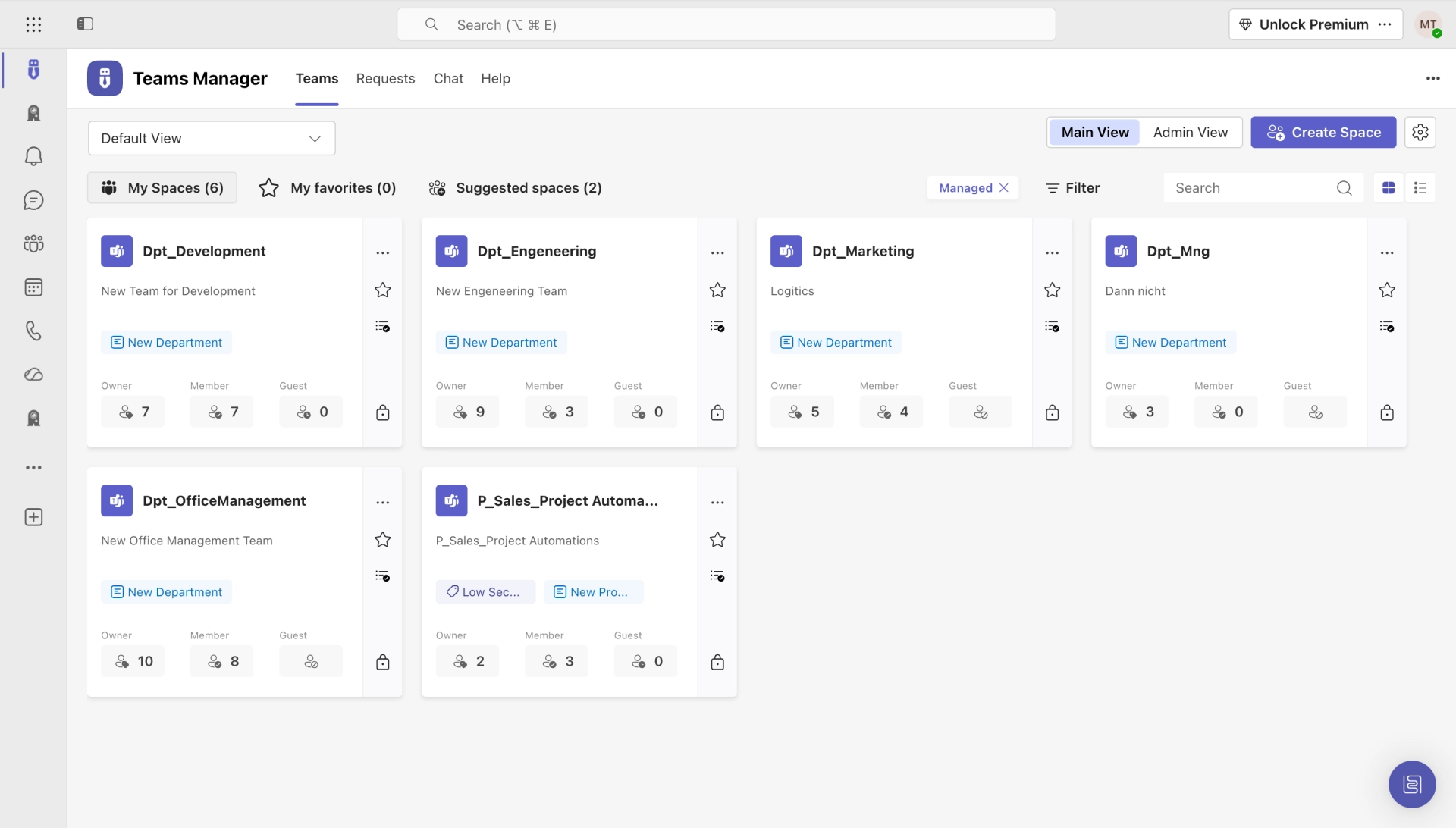
Auto-archive, extend, or delete teams based on activity, expiration dates, and custom rules.
Enforce consistent naming patterns with prefixes, suffixes, and dynamic variables. No more duplicate or cryptic team names.
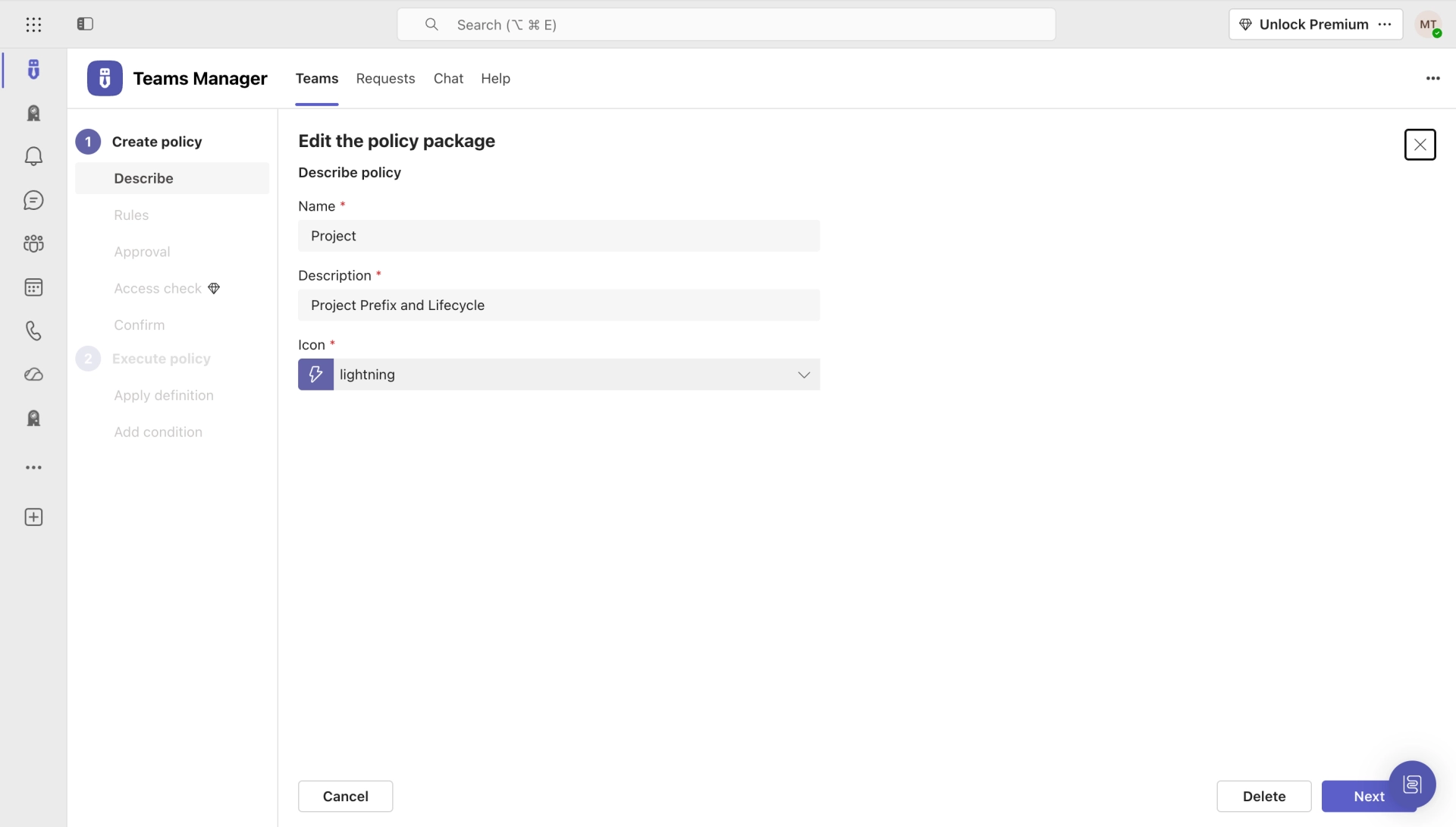
Bundle governance rules into reusable packages. Apply different policies for departments, projects, or compliance levels.
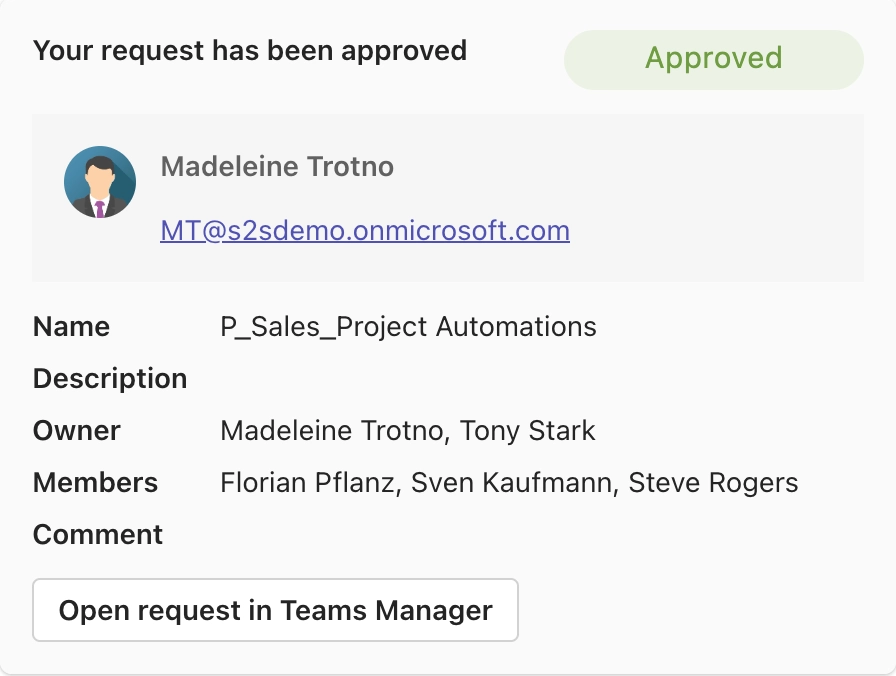
Multi-step approval chains with Teams notifications. Approve or reject requests directly from the Teams chat.
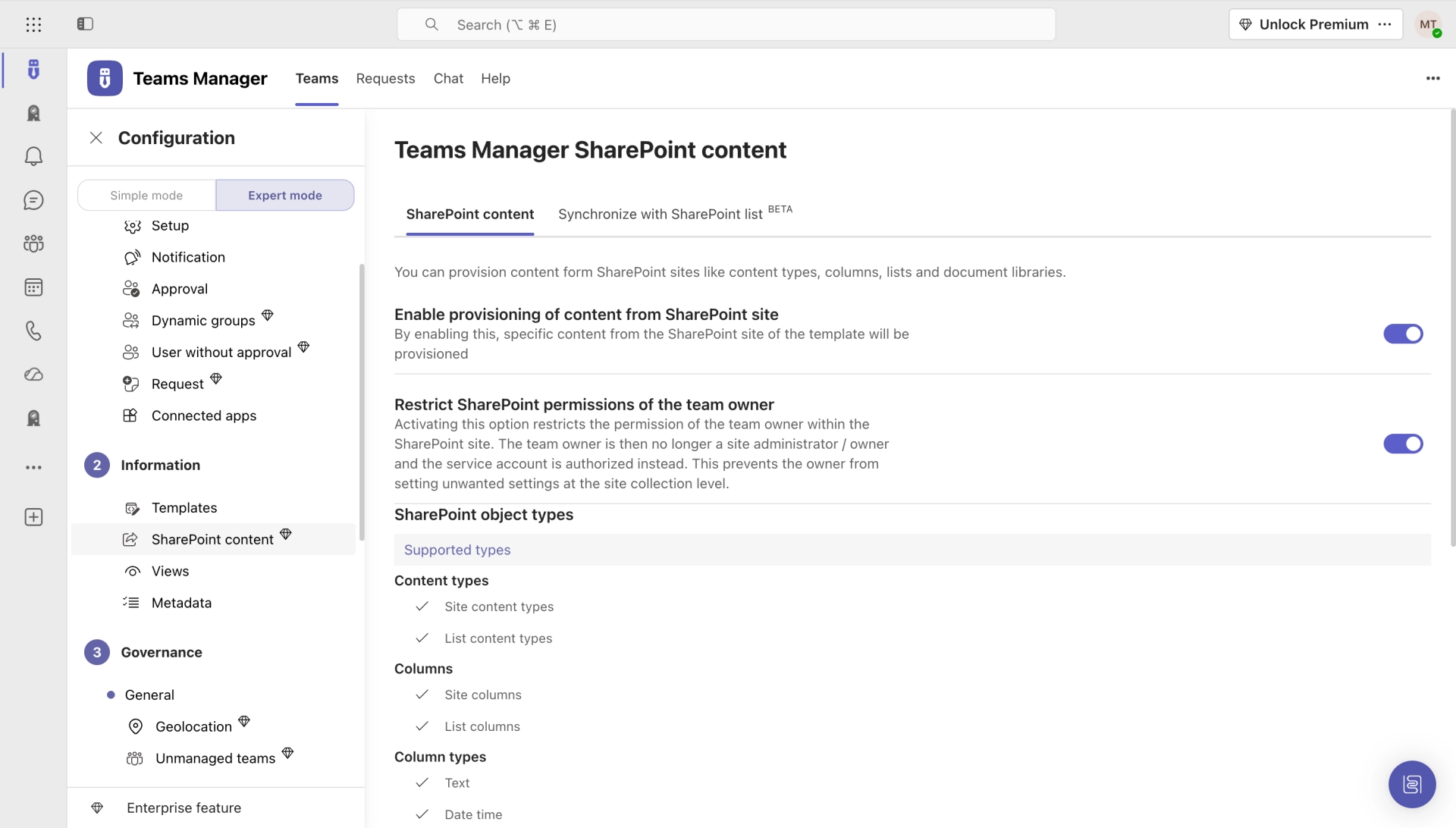
Pre-configured team templates with channels, tabs, apps, and settings. Standardize your Teams environment at scale.
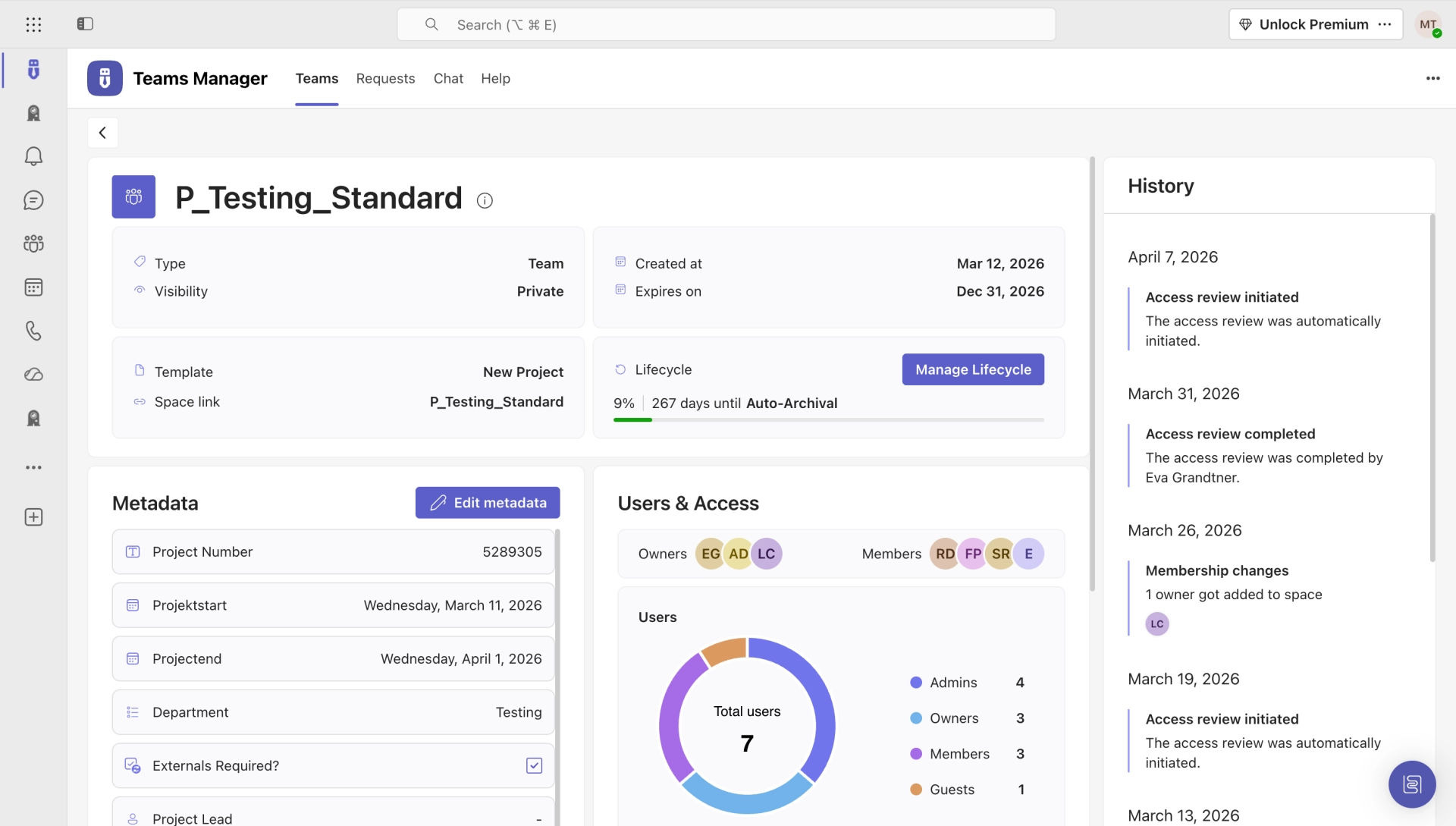
Governance score, activity dashboards, and compliance reports. Know the health of your environment at a glance.
Audit permissions, clean up sensitive data, and ensure least-privilege access before rolling out Microsoft Copilot.
Get a personalized walkthrough of how Teams Manager gets your Microsoft 365 governance under control.
Teams Manager handles more than standard governance. It also drives dedicated workflows for project management and SharePoint provisioning.

Run every project inside Microsoft Teams with structured metadata, templates, and governance guardrails. No more shadow IT for project spaces.
Learn more →
Spin up governance-ready SharePoint sites with approval workflows, pre-configured templates, and automated metadata. IT stays in control.
Learn more →See how Teams Manager stacks up against the alternatives for Microsoft Teams governance.
| Feature | Teams Manager | Native M365 | PowerShell Scripts |
|---|---|---|---|
| Automated Provisioning | ✓ | ✗ | – Manual scripting |
| Lifecycle Management | ✓ | – Basic expiration only | – Manual scripting |
| Naming Conventions | ✓ | – Prefix only | – Manual scripting |
| Approval Workflows | ✓ In Teams Chat | ✗ | ✗ |
| Policy Packages | ✓ | ✗ | ✗ |
| Governance Dashboard | ✓ Governance Score | – Admin Center only | ✗ |
| Copilot Readiness | ✓ | ✗ | ✗ |
| No Code Required | ✓ | – | ✗ PowerShell expertise |
Join the 40,000+ IT admins who run Microsoft 365 governance on Teams Manager. See the difference in a live demo.
Hear from the 40,000+ administrators who trust Teams Manager to govern their Microsoft 365 environment.
The Microsoft Teams system has become simpler and more structured with the Teams Manager.

Sine the integration of Teams Manager into our Teams client, which allows us to create teams from templates, we finally have a fixed and strict process to manage teams, while having a great overview and control over all created teams.

Teams Manager covers exactly what we had in mind. Everything that can be automated is now automated. I can also highly recommend the kick-off workshop.

The Teams Manager lifecycle in particular provides real added value: we don't produce any data waste here. Teams that are no longer needed are automatically deleted.

Teams Manager offers a huge relief for us through lifecycle management. The fact that team owners can regularly decide whether a team is still nededed is a good reassurance.

I think the Teams Manager is an ingenious tool, which covers the current gaps of O365 teams with its functions. In addition, with colleagues from Solutions2Share you have a fast reacting partner with whom friendly communication at eye level is always fun.

Recognized certifications and awards that stand for quality and security.

Install straight from the Microsoft Teams App Store. Every feature included, no credit card. Ready to use in minutes.
See what users say about Teams Manager on the major review platforms.


Everything you need to know about Teams Manager, from setup to security.
Most organizations are up and running within 30 minutes. Teams Manager deploys as a Microsoft Teams app. No on-premises infrastructure, no complex installation. Connect your tenant, configure your first policy, and start governing immediately.
Yes. Teams Manager integrates natively with Microsoft Entra ID for authentication, group management, and conditional access policies. It supports both cloud-only and hybrid environments.
Absolutely. With ShareGate discontinuing their provisioning feature in August 2025, Teams Manager is the natural successor. We offer dedicated migration support and a 10% switch discount for former ShareGate customers.
Teams Manager helps you audit existing teams for over-permissioned access, stale content, and sensitive data exposure. Clean up your environment before enabling Copilot to prevent unintended data access through AI-generated responses.
Yes. We're ISO 27001 certified and fully GDPR compliant. Teams Manager processes data exclusively within your Microsoft 365 tenant. No data leaves your environment, and we undergo regular third-party security audits.
Every Teams Manager license includes email and ticket support with guaranteed response times. Enterprise customers get a dedicated success manager, priority support queue, and quarterly governance reviews.
Join 40,000+ IT admins who stopped managing Microsoft Teams manually. Start your free trial today. No credit card required.
Microsoft 365 governance and productivity solutions for modern workplaces.
© 2026 Solutions2Share GmbH. All rights reserved.
Fill out the form and we will send you the access to your trial!