Teams Governance
Teams Manager
Govern & manage Teams lifecycle
External User Manager
Control external guest access
Project Management
Projects in Teams
Plan & track projects in Teams
Microsoft SharePoint
SharePoint Site Templates
Standardize SharePoint provisioning
Templater (On-Premises)
On-premises template engine
Blocker for SharePoint
Control SharePoint creation
View all products →
Browse all four Microsoft 365 governance products
Teams Governance
Stop Teams sprawl & enforce policies
External User Management
Control external guest access
M365 Compliance
Ensure Microsoft 365 compliance
Project Management
Structure projects in Teams
SharePoint Provisioning
Standardize SharePoint sites
View all solutions →
Browse all five Microsoft 365 governance solutions

Standardized project spaces with templates, naming conventions, approval workflows, and lifecycle management, all powered by Teams Manager.


Built for teams running projects in Microsoft Teams


New project, new team, but no standard. Every project manager sets up channels, folders, and tasks differently. The result: inconsistent structures that make collaboration harder with every project.
Define project templates with predefined channels, folder structures, Planner tasks, and OneNote content. Every project starts with the same professional structure, automatically.
See all features →

Project managers juggle dozens of teams without a central dashboard. Which projects are active? Which are overdue? Who owns what? Without a project overview, you're flying blind.
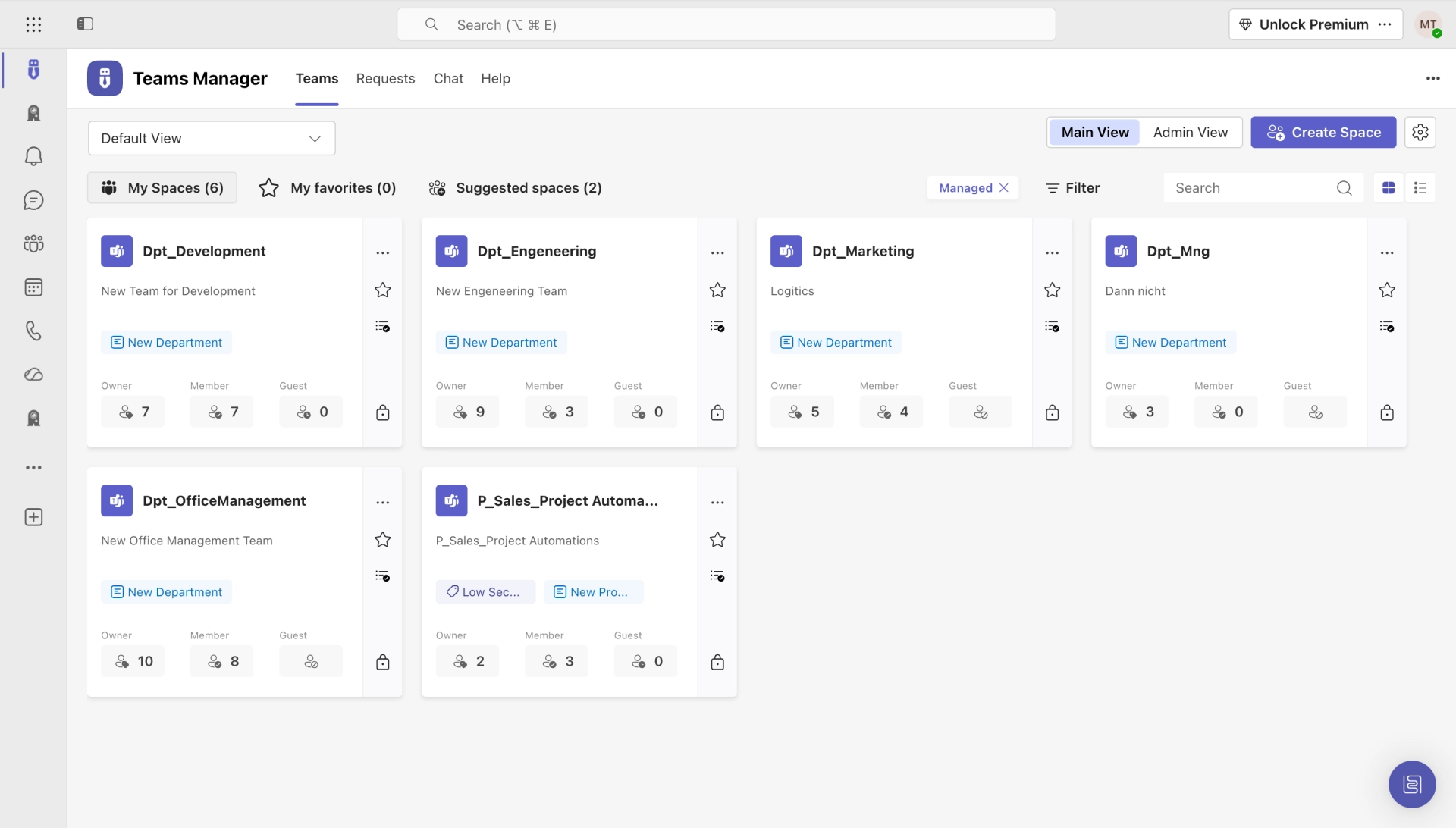
A central project overview with metadata, favorites, and project types. See all your projects at a glance: filter by status, department, or project lead. Always know what's happening.
How it works →Projects end, but the teams stay. Files accumulate, licenses are wasted, and nobody knows which project spaces are still active. Your Teams environment becomes a digital graveyard.
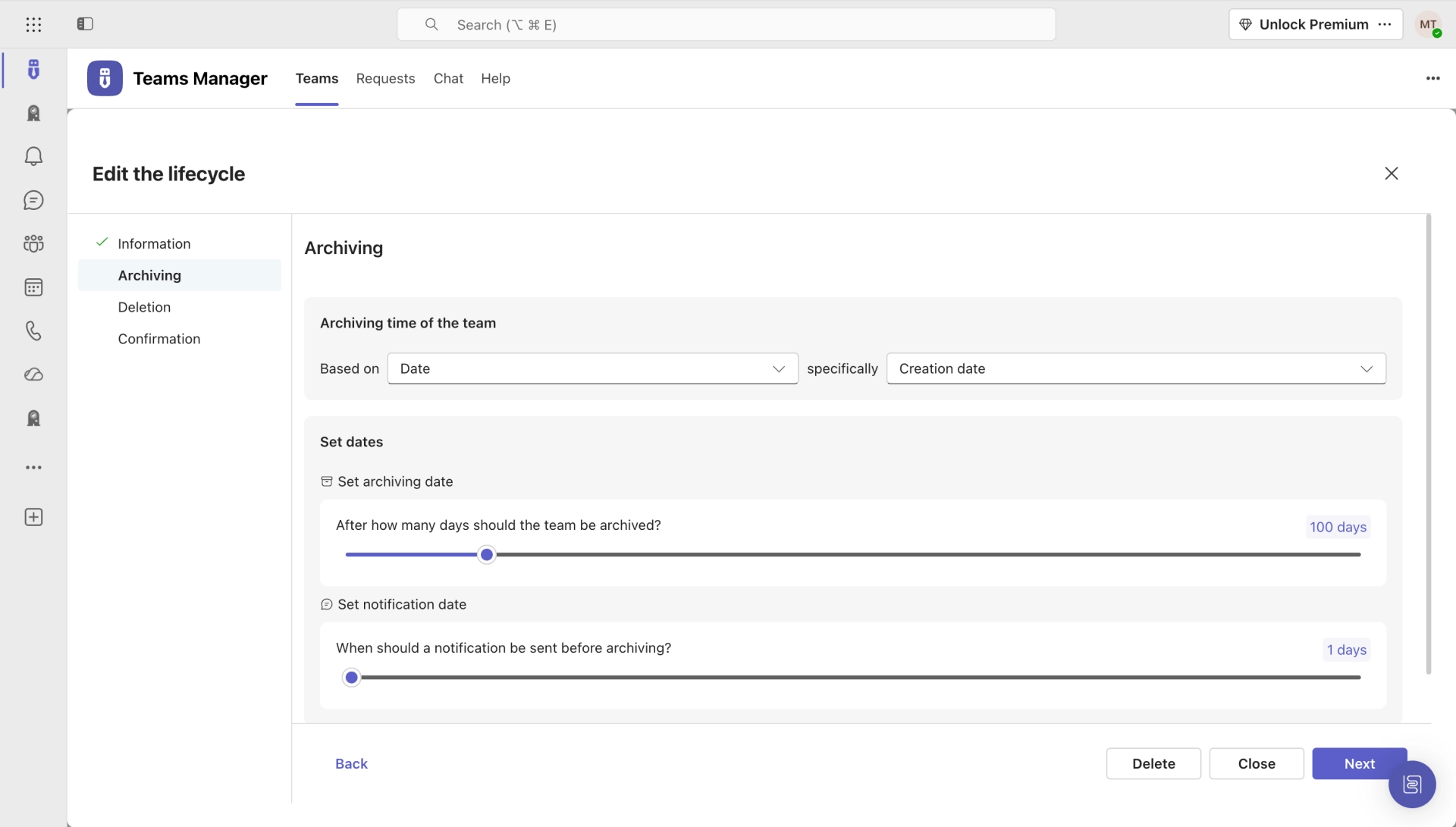
Set expiration dates, auto-archive completed projects, and reclaim licenses. Project owners get reminded before deadlines hit. No more zombie project teams cluttering your environment.
Explore governance features →

"Project Alpha", "Marketing Q3", "Test 123": without naming rules, project teams become unsearchable. Users waste time looking for the right workspace instead of doing actual work.
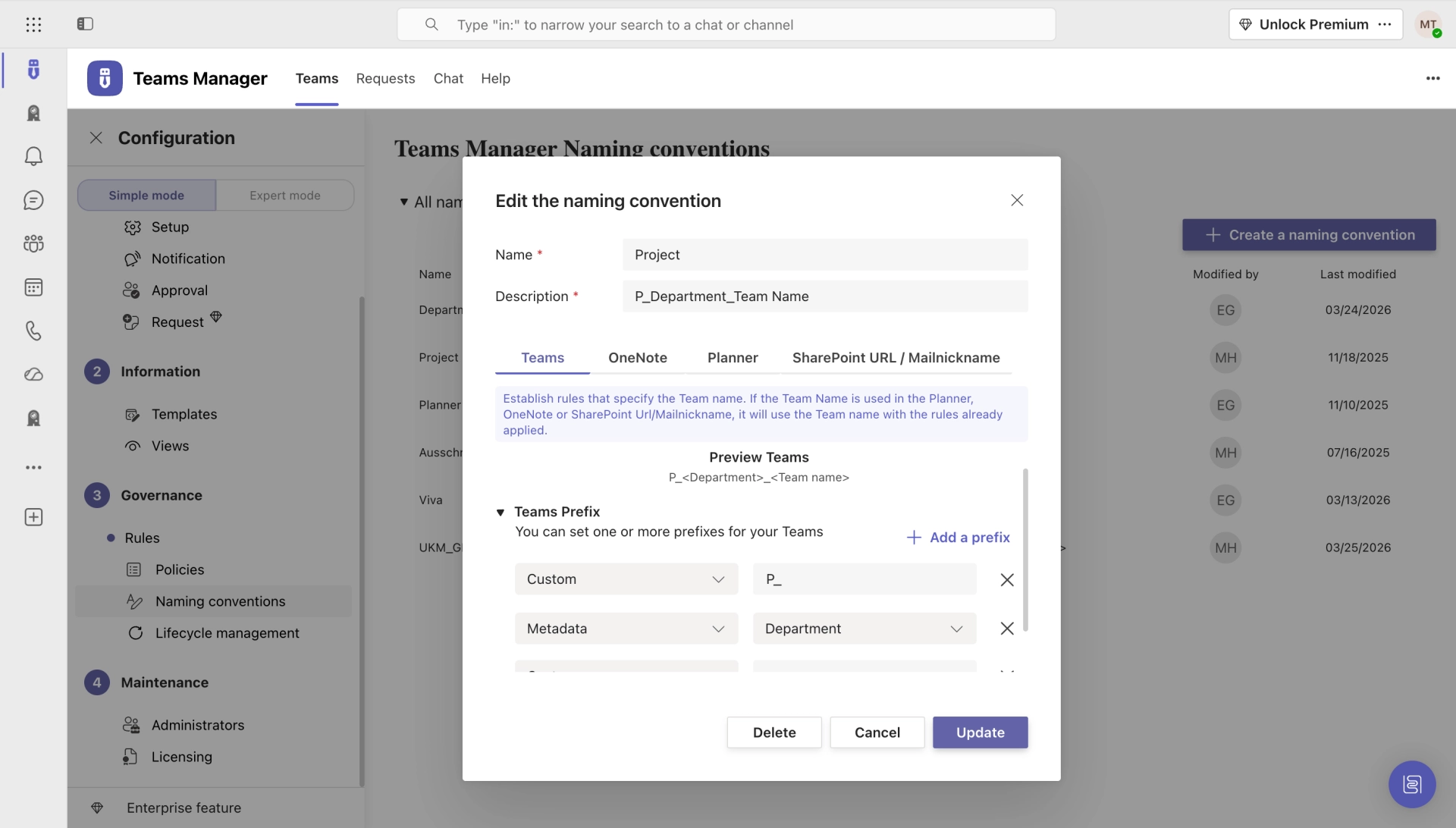
Enforce consistent naming patterns with prefixes, project IDs, and metadata. New project requests go through an approval workflow before creation. Structure from day one.
Explore naming & approvals →Projects in Teams gives project managers and IT a complete toolkit for structured, governed project workspaces in Microsoft Teams.
Predefined channels, folder structures, Planner tasks, and OneNote content. Every project room is consistent from the start.
Central dashboard with metadata, favorites, and project types. Filter by status, department, or lead. Always know what's happening.
Enforce consistent naming with prefixes, project IDs, and dynamic variables. No more duplicate or cryptic project names.
Bundle governance rules into reusable packages. Apply different policies for departments, project types, or compliance levels.
Route new project requests through configurable approval chains. IT stays in control, project managers get fast turnarounds.
Auto-archive finished projects, extend active ones, and delete abandoned workspaces. Keep your environment clean without manual effort.
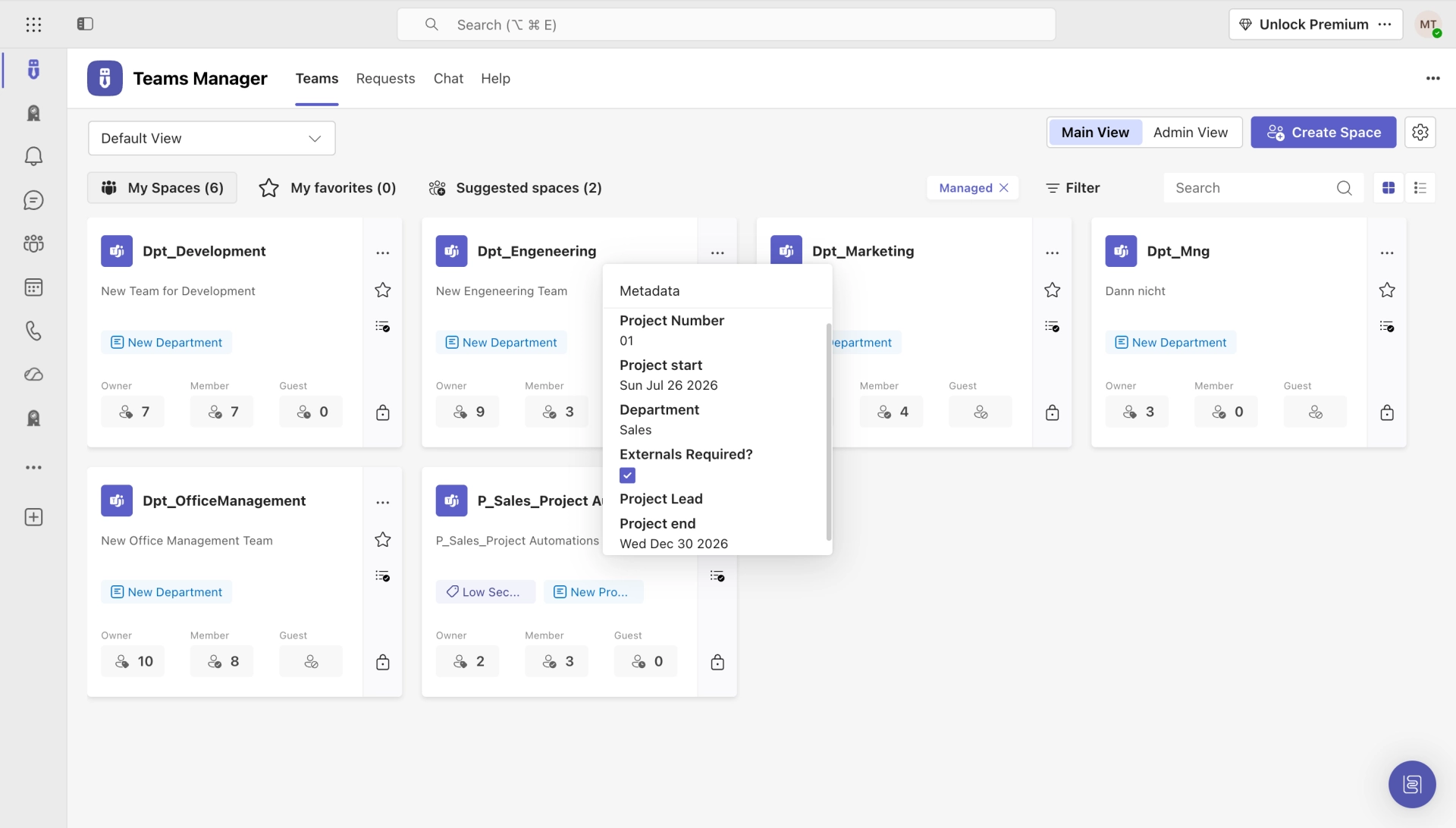
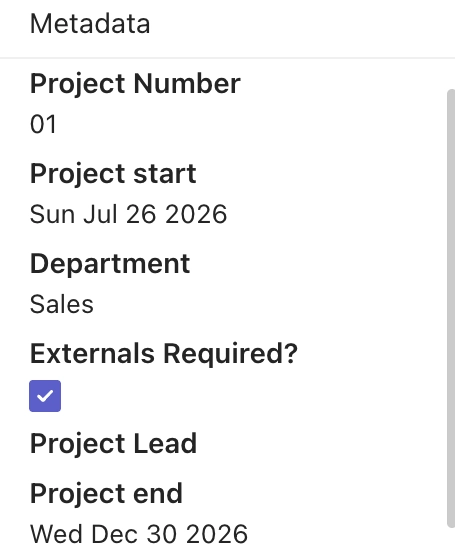
Enrich every project with custom metadata: project numbers, departments, leads, dates. Searchable, filterable, reportable.
Project templates include pre-built Planner boards with tasks, buckets, and assignments. Hit the ground running from day one.
Get a personalized walkthrough of how Projects in Teams can structure your project management in Microsoft 365.
Hear from project managers who use Teams Manager to structure their project workspaces in Microsoft Teams.
Teams Manager covers exactly what we had in mind. Everything that can be automated is now automated. I can also highly recommend the kick-off workshop.

Sine the integration of Teams Manager into our Teams client, which allows us to create teams from templates, we finally have a fixed and strict process to manage teams, while having a great overview and control over all created teams.

Teams Manager is the perfect complement to our governance and adoption strategy for teams. It provides a way for us to intelligently apply naming conventions, metadata, and lifecycles to teams without a request process and maintain freedom for the teams facility for trained users.

Recognized certifications and awards that stand for quality and security.

Install Teams Manager from the Microsoft Teams App Store and start managing your projects with standardized templates, naming conventions, and lifecycle automation. Free for 14 days.
See what users say about Teams Manager on the major review platforms.


Everything you need to know about managing projects in Microsoft Teams with Teams Manager.
Projects in Teams is a use case of Teams Manager. When you install Teams Manager, you get all project management features included: project templates, naming conventions, metadata, lifecycle management, and the project overview dashboard.
A project template can include predefined channels, folder structures with files, Planner boards with tasks and buckets, OneNote sections with content, and pre-assigned owners and members. Everything is created automatically when a new project is requested.
Yes. Project managers can request new project spaces through a guided form directly in Microsoft Teams. The request goes through an approval workflow, and once approved, the project space is created automatically from the selected template.
Lifecycle management handles this automatically. You can set expiration dates, send reminders to project owners, and auto-archive or delete completed project teams. No manual cleanup required, your environment stays clean.
Yes. You can define custom metadata fields like project number, department, start/end date, project lead, and more. This metadata is displayed in the project overview and can be used for filtering and reporting.
Projects in Teams is included in every Teams Manager license. There is no additional cost for the project management features. Start with a free 14-day trial and see how it works for your organization.
Join the organizations managing projects in Microsoft Teams with standardized templates, automated lifecycles, and full governance, all powered by Teams Manager.
Microsoft 365 governance and productivity solutions for modern workplaces.

© 2026 Solutions2Share GmbH. All rights reserved.
Fill out the form and we will send you the access to your trial!