Microsoft 365 Governance
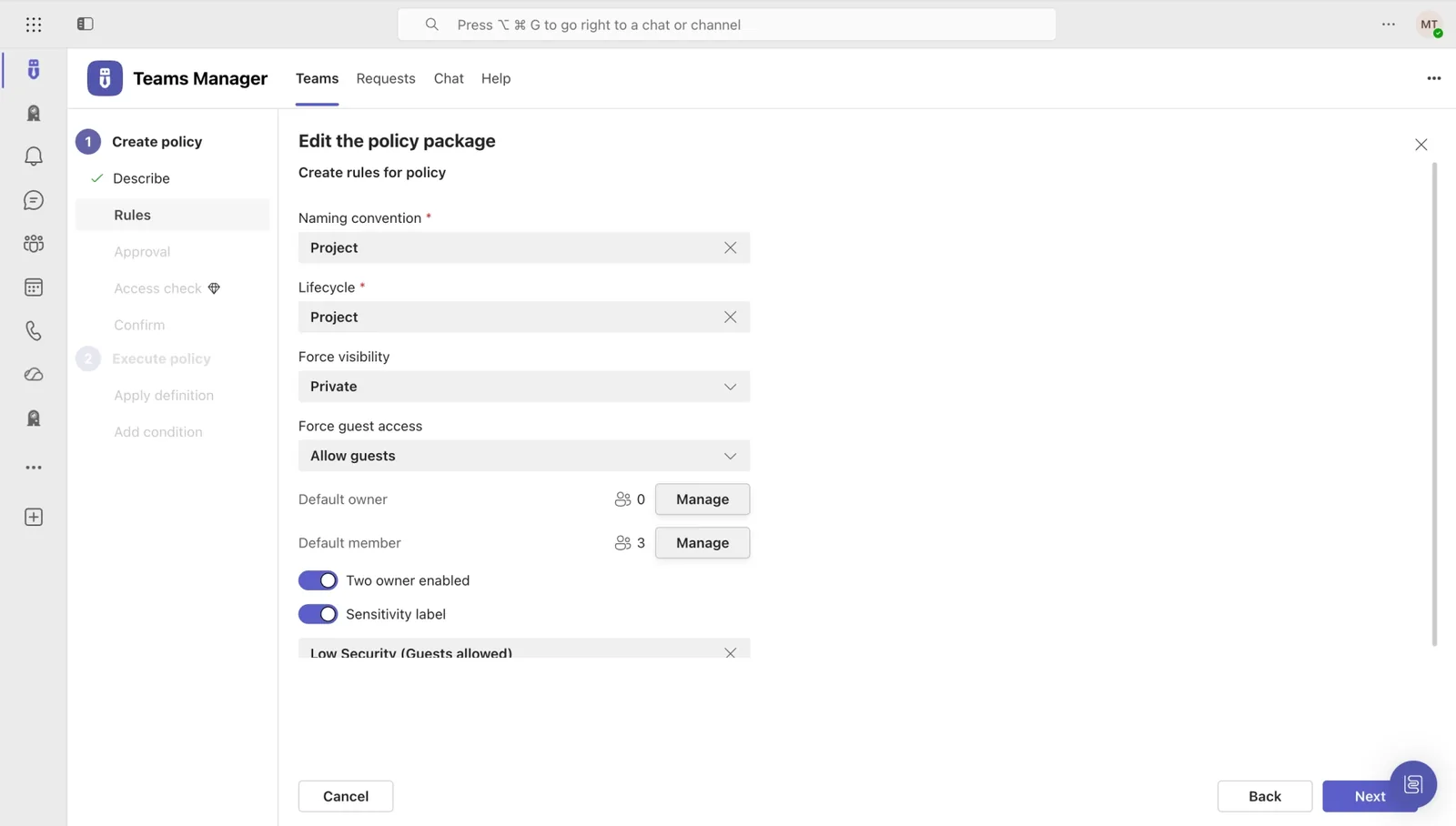
Teams Manager
Govern & manage Teams lifecycle
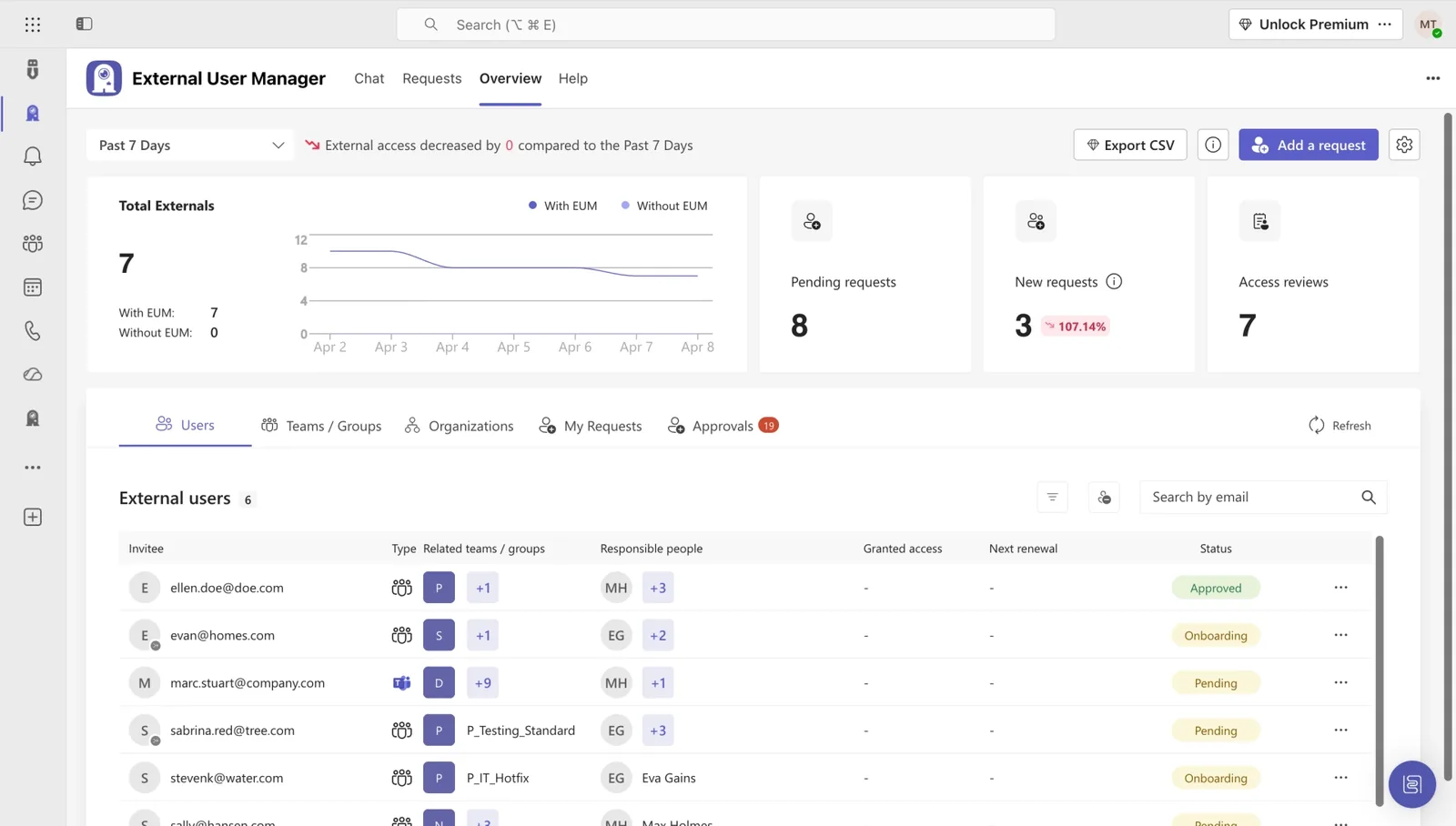
External User Manager
Control external guest access
Governance Autopilot
See where your Microsoft 365 governance stands
Project Management
Projects in Teams
Structure projects in Teams
Microsoft SharePoint
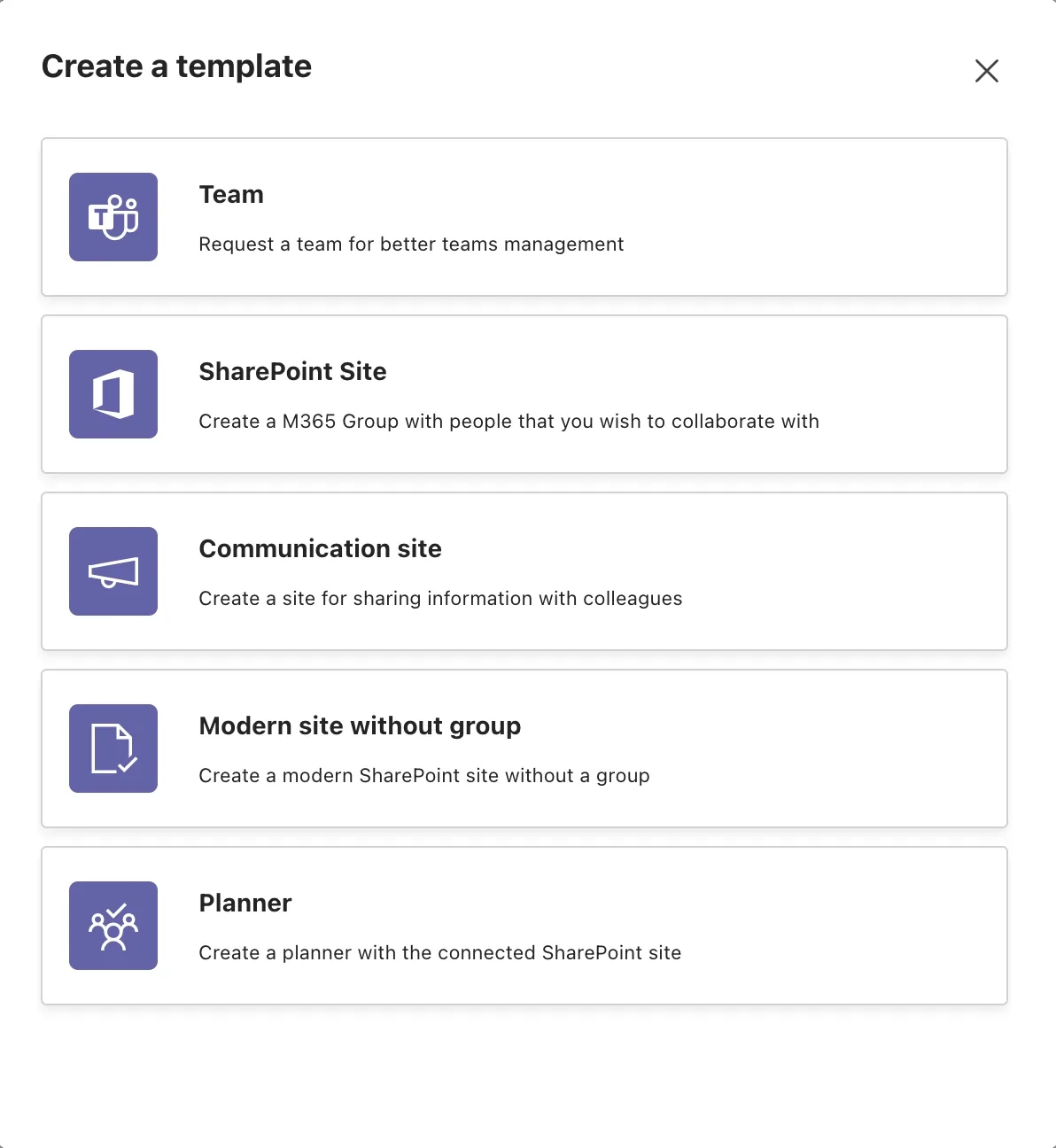
SharePoint Site Templates
Standardize SharePoint provisioning
Templater (On-Premises)
On-premises template engine
Blocker for SharePoint
Notice on unapproved sites
View all apps →
Browse all our Microsoft 365 apps
Microsoft 365 Governance
See where your tenant stands
Teams Governance
Stop Teams sprawl & enforce policies
External User Management
Control external guest access
M365 Compliance
Ensure Microsoft 365 compliance
Project Management
Structure projects in Teams
SharePoint Provisioning
Standardize SharePoint sites
View all solutions →
Browse all our Microsoft 365 solutions
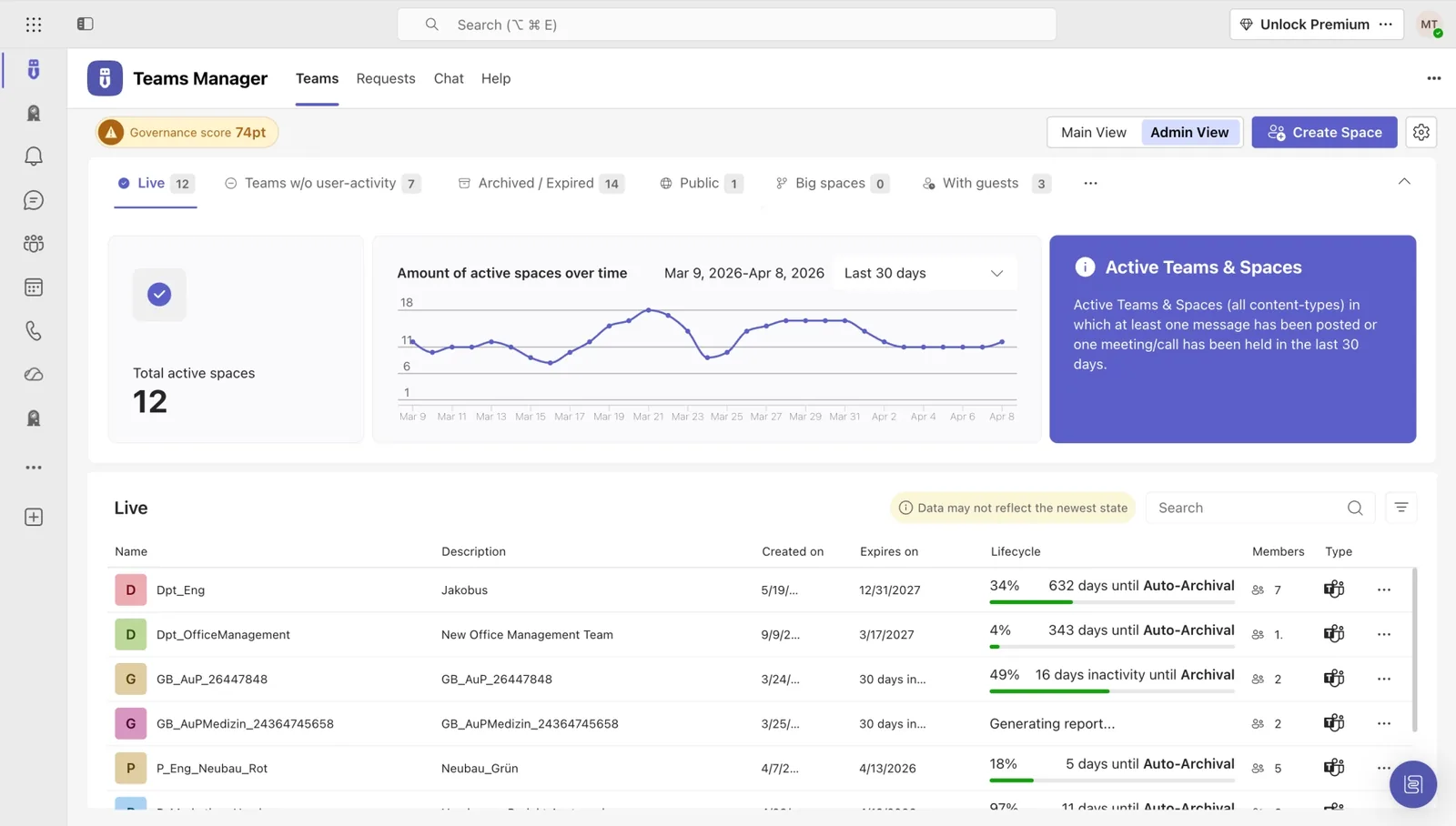
A practical model to steer Teams, SharePoint and Copilot so audits, internal rules and daily work fit together.


In banks and financial services, two realities collide. Business teams want new workspaces now. Compliance, audit and information security need processes, proof and clear accountability.
Without Microsoft Teams Governance, typical problems show up quickly. Inconsistent naming conventions, unclear owners, creation via mail and tickets, and a lifecycle that never ends. Add externals who keep access after the project. And once Microsoft 365 Copilot and Copilot Chat are used, the question becomes urgent: which internal content can surface in which scenario.
Governance starts with people, not an admin portal. Who can request teams, who approves, who owns them, who reviews access. This way, responsibility for internal and external collaboration no longer sits with admins alone.
Naming conventions, metadata, templates and rules belong at the moment of creation. Then provisioning stays fast and still traceable. You improve efficiency and reduce support requests.
Audits need automated reports, KPIs and clear logs. Which teams are active, which external users have access, where SharePoint content lives, and which exceptions were approved.
Companies and partners worldwide rely on our Microsoft 365 expertise.
This is for you as an IT admin, collaboration owner or IT lead when Microsoft Teams is part of daily work and the challenges grow. Typical triggers are more requests, a rising number of teams, or preparation for Microsoft 365 Copilot.
It also matters for CISO, privacy and audit as soon as external users, OneDrive sharing or standard project work with partners must be managed. The goal is not to monitor people. It is to run steerable processes and produce reliable evidence.
The focus areas you should cover cleanly for a solid rollout.
Define rules for creating Teams and SharePoint sites. Apply naming conventions, required metadata and templates. Add approvals where internal requirements demand it. This is Microsoft Teams Governance done as a process, not a document.
Decide when a team is inactive, how owners are reminded, and what happens during offboarding. Automatic archiving or deletion reduces effort and makes data spaces findable again.
Steer who can invite external users and how consent works, for example NDA or privacy terms. Key controls are an expiry date and recurring access reviews, so external collaboration stays managed.
Plan governance so Microsoft Copilot and Copilot Chat do not depend on shadow structures. Decide intentionally what you run as a Teams app workflow versus Copilot Studio, Power Automate, or agents for each scenario. The goal is preparation instead of later clean-up.

Two practical examples of how Teams, SharePoint and external collaboration become manageable in financial services.
A roadmap that works for banks because it connects process, architecture and operations.
You feel the effect in fewer manual tasks, fewer escalations and better evidence for internal and external controls.
We are saving a considerable amount of time in daily business (creating/configuring SiteCollections) and thus are able to focus on new projects and innovations.

I think the Teams Manager is an ingenious tool, which covers the current gaps of O365 teams with its functions. In addition, with colleagues from Solutions2Share you have a fast reacting partner with whom friendly communication at eye level is always fun.

Teams Manager covers exactly what we had in mind. Everything that can be automated is now automated. I can also highly recommend the kick-off workshop.

The Teams Manager lifecycle in particular provides real added value: we don't produce any data waste here. Teams that are no longer needed are automatically deleted.

Through Teams Manager, we implement structured guidelines and approval processes for the creation of teams and thus get a grip on teams proliferation. It is optimal that new features are added frequently.

Thanks to automatic site provisioning with different templates, the collaboration and project portal is now super easy to use.

Microsoft Teams Governance is the set of rules and processes that steer Teams, SharePoint and the related Microsoft 365 Groups. It answers concrete questions: who can request and create workspaces, how teams are named using naming conventions, where content is stored, how the lifecycle is handled, and how you keep control of external users. In Microsoft 365, Copilot Chat and Microsoft 365 Copilot can surface content across different locations, so governance defines which internal areas are ready for that scenario.
You mainly need clarity on requirements and processes. What does compliance expect, what does audit require, which scenarios are allowed. Technically, understand how creation works today, how SharePoint sites are structured, and how external users are managed in Microsoft Entra ID. Then decide what you cover with Microsoft Power Platform components like Power Apps and Power Automate, and where governance automation via a Teams app makes sense.
It depends on scope and maturity. Effort typically comes in three blocks: define the governance model and rules, implement provisioning and lifecycle processes, then run operations with recurring reviews. For tools, Teams Manager and External User Manager have public pricing, each from 1599 per year (up to 249 users). The implementation effort depends on how many policies, approvals, templates and automated reports you need.
Often you only notice the need once Microsoft Teams and external collaboration grow quickly. Complexity increases sharply when more departments onboard, more projects start, or Microsoft Copilot is introduced. A good check is a short baseline: how many teams are inactive, how many external users exist, how many naming conventions are in use, and how fast you can produce audit evidence today. If that is painful, governance solutions with clear processes and automation pay off.
Microsoft 365 governance and productivity solutions for modern workplaces.

© 2026 Solutions2Share GmbH. All rights reserved.