
Why Microsoft Teams needs the right management tools
Microsoft Teams is the central hub for collaboration in Microsoft 365. But as usage grows, so do the challenges:
- Hundreds of teams created without structure
- External guests without control or review
- Unclear ownership and missing lifecycle management
- Files spread across multiple channels and sites
Without governance and structure, collaboration becomes chaotic and time-consuming. That’s where Teams management and collaboration apps come in — they bring order, automation, and transparency to Microsoft Teams.
Governance Apps – for structure and control
🧭 Teams Manager
Automate governance for Microsoft Teams with templates, approval workflows, and lifecycle management.
Key Features:
- Templates for Teams and Microsoft 365 Groups
- Request & approval workflows for new teams
- Automated naming conventions and metadata
- Lifecycle policies with automatic archiving and cleanup
- Integration with sensitivity labels and classifications
💡 Best for IT admins who want consistent, compliant Teams creation and management with a high usability for endusers.
🛡️ External User Manager
Manage and secure guest access in Microsoft Teams. Keep control over who joins, for how long, and under what conditions.
Key Features:
- Request and approval workflow for new guests
- Onboarding and compliance portal
- Automated lifecycles and guest removals
- Access review reporting and audit trail
- Integration with Microsoft Entra ID / Access Reviews
💡 Ideal for companies with external collaboration or compliance requirements.
Collaboration Apps – for productivity and focus
🚫 Blocker for SharePoint
Block access to specific SharePoint sites directly in Teams, except for whitelisted ones. Perfect for preventing data leaks and enforcing security policies.
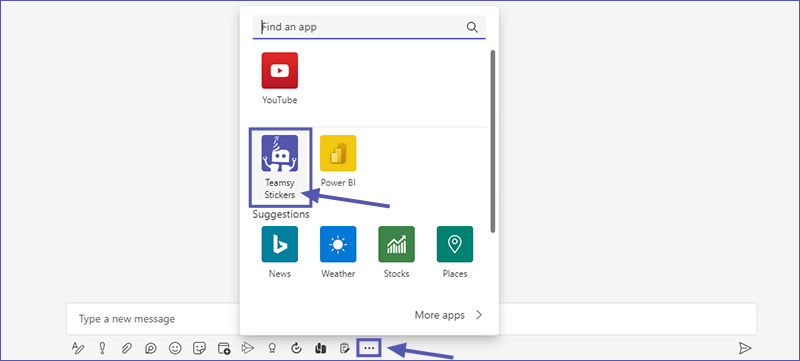
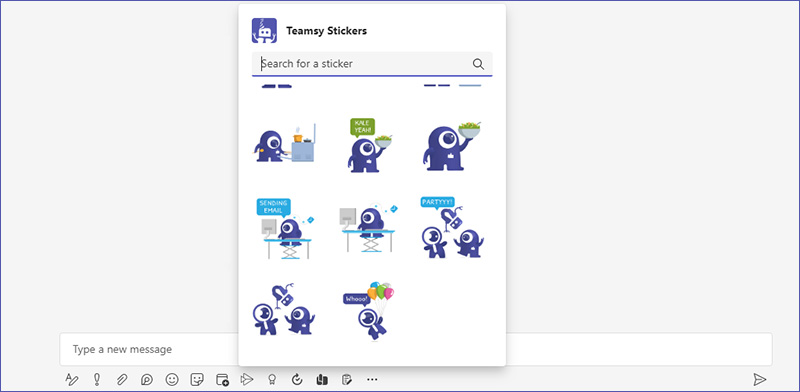
😄 Teamsy Stickers
Add personality and fun to your collaboration with custom Teams stickers and emojis.
Governance vs. Collaboration – which do you need?
| Category | App | Main Use Case | Key Benefit |
| --- | --- | --- | --- |
| Governance | Teams Manager | Standardize and automate Teams lifecycle | Control and consistency |
|  | External User Manager | Manage and secure guest access | Secure external collaboration |
| Collaboration | Blocker for SharePoint | Restrict unwanted SharePoint links | Prevent data leaks |
|  | Teamsy Stickers | Improve engagement | Fun and motivation |
Conclusion: From chaos to clarity in Microsoft Teams
The right tools turn Microsoft Teams into a structured, secure, and efficient workspace.
Governance apps like Teams Manager and External User Manager give IT full control. Collaboration apps boost productivity for every user.
👉 Book a free demo today and see how your organization can simplify Teams governance and collaboration.